 |
|


|
| |
|
|
The provided API for communication plug-ins supports plug-in developers in writing plug-ins that are configurable by the user. A plug-in can expose a set of available parameters, including metadata such as display names, unit prefixes and suffixes, and range or value list constraints.
This set of plug-in parameters and their metadata is called "user parameter description". The user can access the "user parameter description" of a plug-in in the "Communication" tab of the MERLIC Runtime Environment Setup (MERLIC RTE Setup). This enables the user to configure the plug-in on-site within a graphical user interface, without having to change the source code of the plug-in or recompile the plug-in.
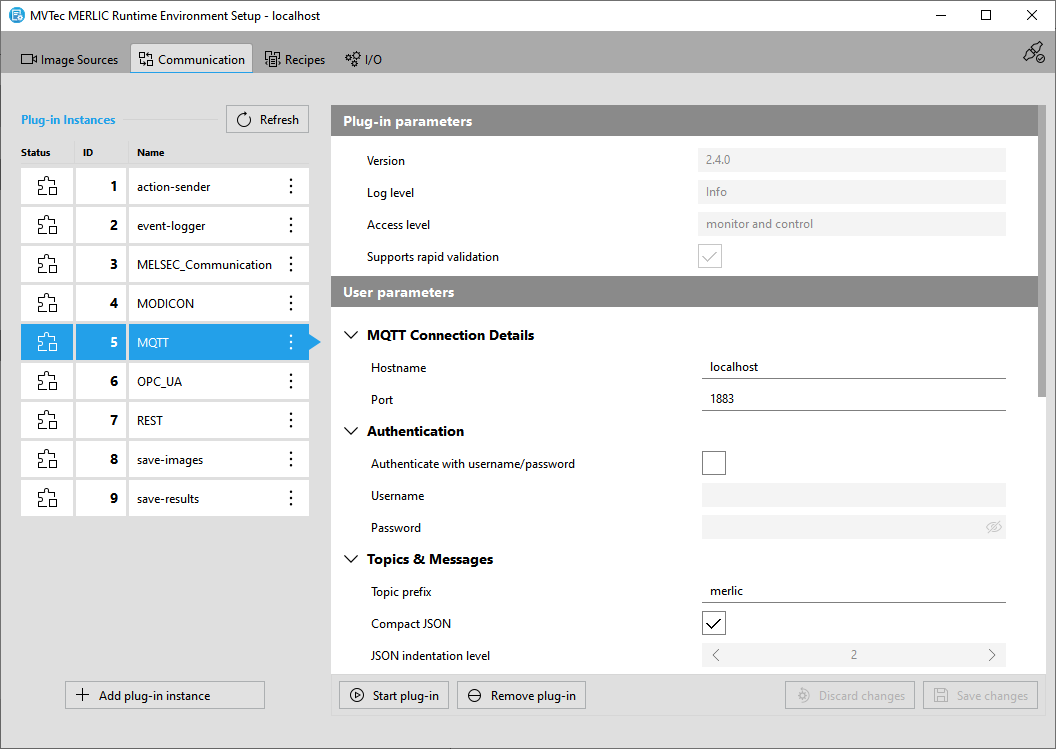
To enable the configuration of the plug-in, implement an MVExpose function, and use the MV_PluginUserParameterDescription_* API functions to expose the user parameter description.
The plug-in's MVExpose function is called after the plug-in has been opened. The user parameter description is generated, and the plug-in configuration is updated or created with the initial values from the parameter description. The plug-in configuration is written to a JSON file which is located in the predefined directory. By default, the plug-in configuration files are located in "%AppData%\MVTec\Communicator\conf" on Windows systems and "~/.config/MVTec/Communicator/conf" on Linux systems.
In addition to the user parameter description, plug-ins can implement a validation function. Its responsibility is to validate the set user parameter value and to provide the user with feedback about the state of the parameter. This feedback includes highlighting invalid user parameter values, displaying a warning or an error message, and disabling one or multiple user parameters. These actions are passed in a data structure called "validation result". The set of current plug-in and user parameter values is called "plug-in configuration".
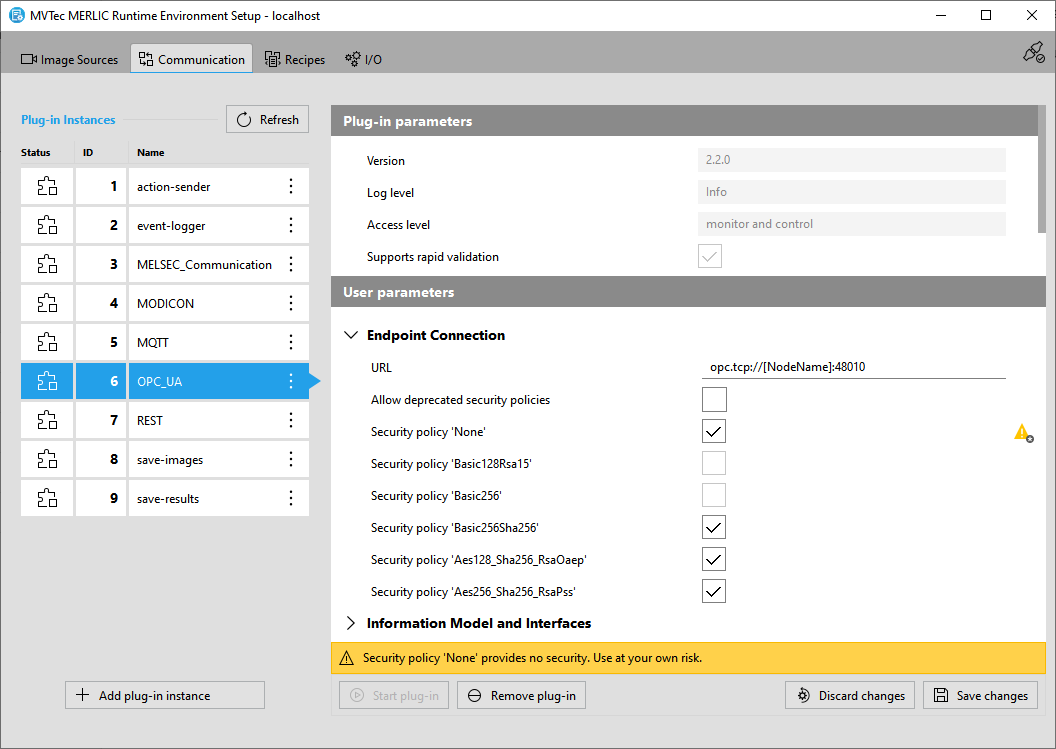
To enable the validation of the user's plug-in configuration, implement an MVValidate function, and use the MV_PluginConfig_* and MV_PluginConfigValidation_* API functions. This enables the user to modify the plug-in configuration in the MERLIC RTE Setup and both MVExpose and MVValidate may be called multiple times to provide feedback to the user during the configuration.
By default, the actual validation of the plug-in configuration in the MERLIC RTE Setup is performed only when saving the changes in the "Communication" tab. To enable a more frequent validation, you can implement the plug-in to support "rapid validation" by setting the property "eMVPluginProperty_RapidValidation" in the MVDetails function to "true". Then, the validation will be triggered with each modification of a "user parameter" in the "Communication" tab.
To get logging information about errors, the MV_Log() function can be used to display error messages in the console.
For more information about the sequence of MVExpose and MVValidate, along with MVOpen, MVStart, MVStop, MVClose, and MVDetails, see Life Cycle of a Plug-in Instance.
 |

|
| MERLIC 26.03.2 - API Version 2.2.3 | © 2026 MVTec Software GmbH - All rights reserved |