 |
|


|
| |
|
|
The provided API for communication plugins supports plugin developers in writing plugins that are configurable by the user. A plugin can expose a set of available parameters, including metadata such as display names, unit prefixes and suffixes, and range or value list constraints.
This set of plugin parameters and their metadata is called "user parameter description". The user can access the "user parameter description" of a plugin in the "Communication" tab of the MERLIC Runtime Environment Setup (MERLIC RTE Setup). This enables the user to configure the plugin on-site within a graphical user interface, without having to change the source code of the plugin or recompile the plugin.
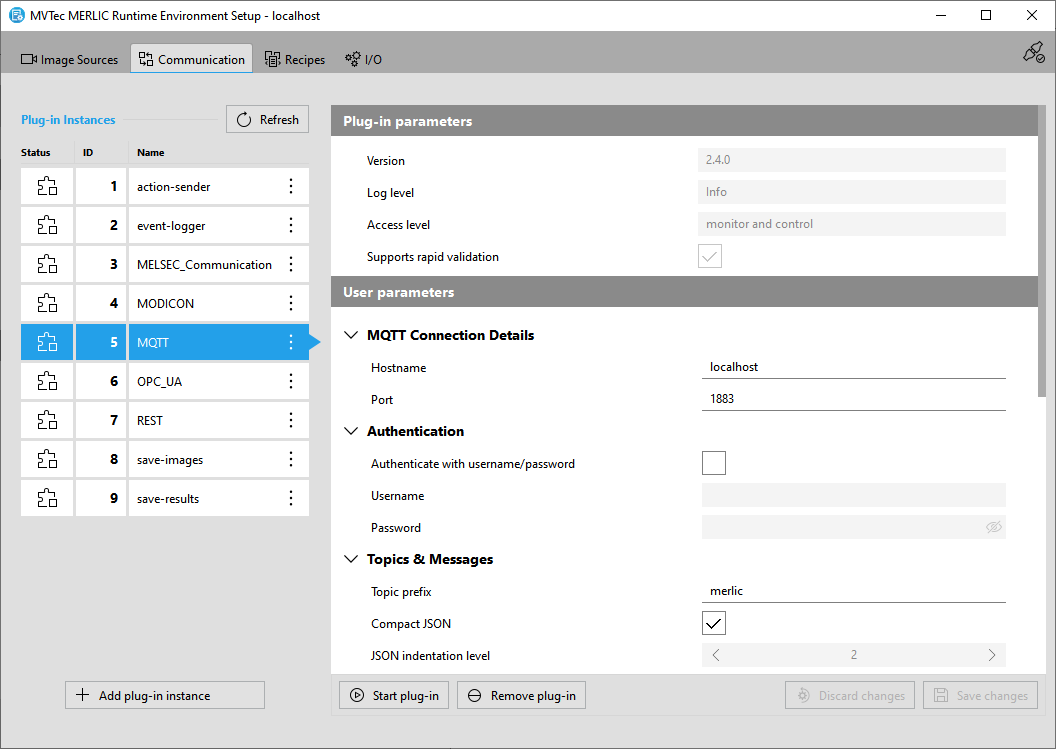
To enable the configuration of the plugin, implement an MVExpose function, and use the MV_PluginUserParameterDescription_* API functions to expose the user parameter description.
The plugin's MVExpose function is called after the plugin has been opened. The user parameter description is generated, and the plugin configuration is updated or created with the initial values from the parameter description. The plugin configuration is written to a JSON file which is located in the predefined directory. By default, the plugin configuration files are located in "%AppData%\MVTec\Communicator\conf" on Windows systems and "~/.config/MVTec/Communicator/conf" on Linux systems.
In addition to the user parameter description, plugins can implement a validation function. Its responsibility is to validate the set user parameter value and to provide the user with feedback about the state of the parameter. This feedback includes highlighting invalid user parameter values, displaying a warning or an error message, and disabling one or multiple user parameters. These actions are passed in a data structure called "validation result". The set of current plugin and user parameter values is called "plugin configuration".
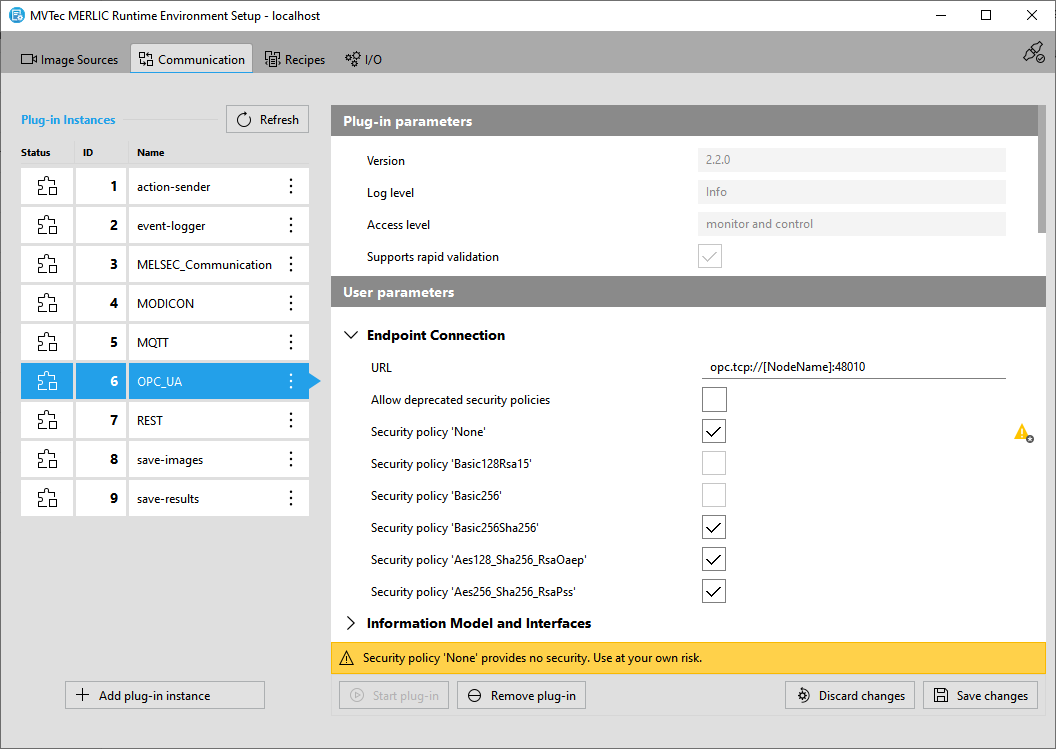
To enable the validation of the user's plugin configuration, implement an MVValidate function, and use the MV_PluginConfig_* and MV_PluginConfigValidation_* API functions. This enables the user to modify the plugin configuration in the MERLIC RTE Setup and both MVExpose and MVValidate may be called multiple times to provide feedback to the user during the configuration.
By default, the actual validation of the plugin configuration in the MERLIC RTE Setup is performed only when saving the changes in the "Communication" tab. To enable a more frequent validation, you can implement the plugin to support "rapid validation" by setting the property "eMVPluginProperty_RapidValidation" in the MVDetails function to "true". Then, the validation will be triggered with each modification of a "user parameter" in the "Communication" tab.
To get logging information about errors, the MV_Log() function can be used to display error messages in the console.
For more information about the sequence of MVExpose and MVValidate, along with MVOpen, MVStart, MVStop, MVClose, and MVDetails, see Life Cycle of a Plugin Instance.
 |

|
| MERLIC 26.10.0 - API Version 2.2.3 | © 2026 MVTec Software GmbH - All rights reserved |