Setting Up the Connection to the PLC
The connection between MERLIC and a Schneider Electric Modicon®* PLC is configured in "EcoStruxure™ Machine Expert - Basic", the PLC engineering software of Schneider Electric.
In the following, we describe the settings that are required to enable the connection between MERLIC and the PLC.
For our documentation, we use "EcoStruxure™ Machine Expert - Basic EcoStruxure™ Machine Expert - Basic is a PLC engineering software from Schneider Electric which can be used to configure, program, and monitor Modicon®* PLCs from Schneider Electric." version 1.2 SP1 Patch 1 build 65760. If you are using a different version of the program, the user interface and parameter names might differ from those shown in the example images. For information on "EcoStruxure™ Machine Expert - Basic", its features, and how to work with it to program and monitor Schneider Electric Modicon®* PLCs, please refer to the website of Schneider Electric.
Setting the PLC Parameters for the Connection
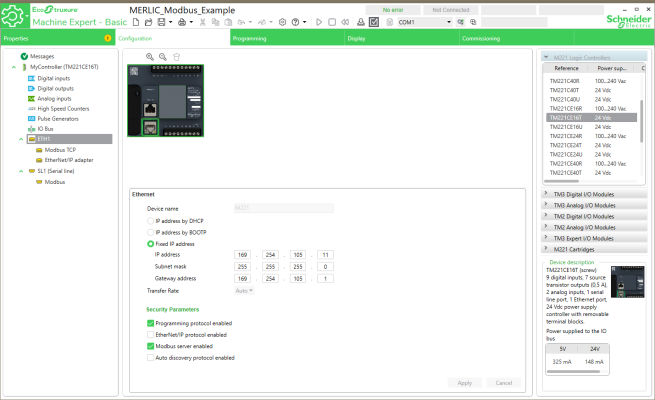
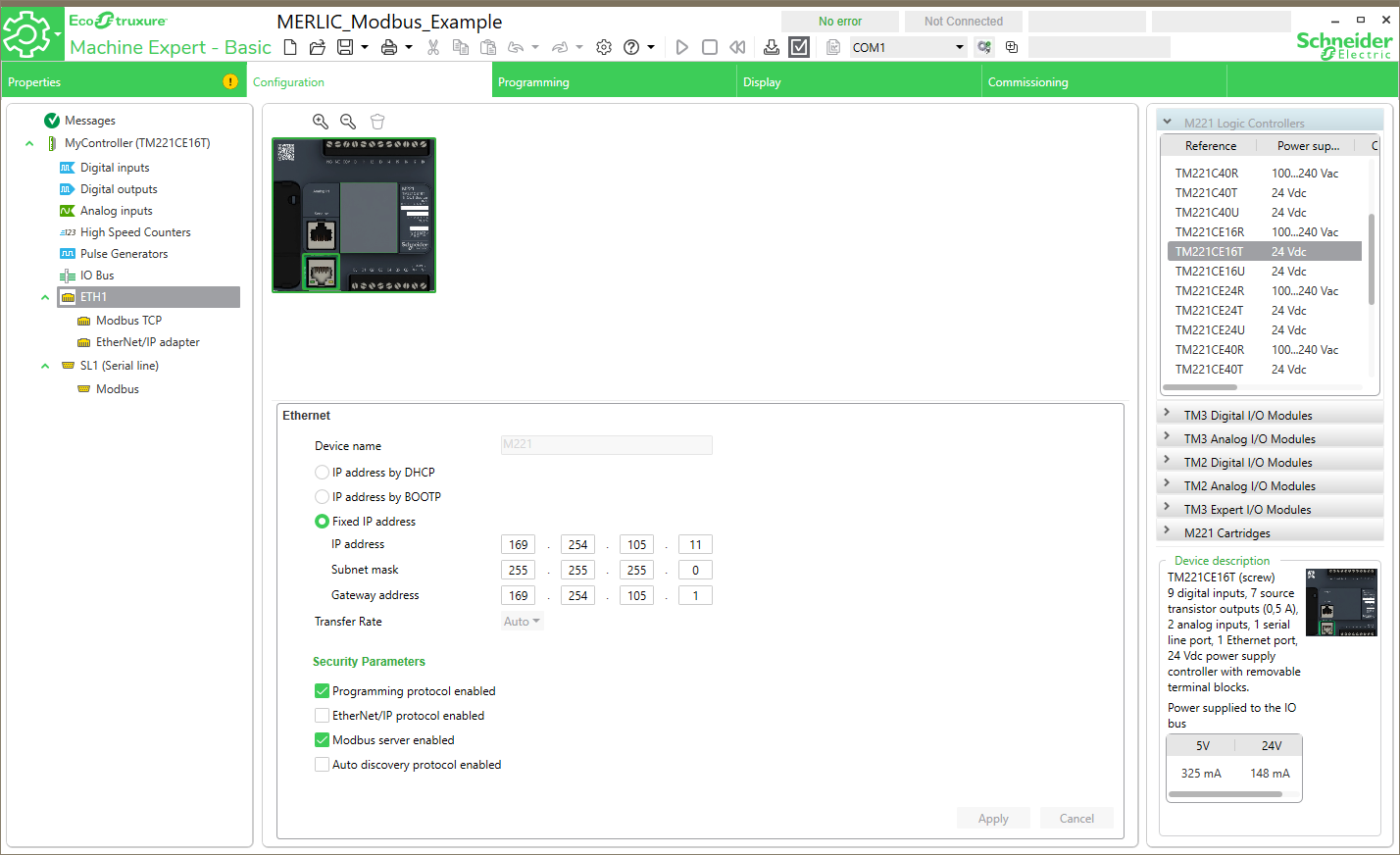
- Open the Ethernet configuration tab of your project in "EcoStruxure™ Machine Expert - Basic" and go to the "ETH1" configuration. The following image shows an example configuration of a Schneider Electric Modicon®* TM221CE16T PLC.
-
You need to check and set the following settings:
Settings
Description
IP Address
The provided IP address corresponds to that of the PLC. For a successful connection between MERLIC and the MODICON®* plug-in to the PLC, the IP address defined here must align with the one specified in the plug-in configuration.
Programming protocol enabled
This setting must be activated.
Modbus server enabled
This setting must be activated.
To get information on the configuration of the MODICON®* plug-in and the parameters that need to be set accordingly, see the description of the user parameters category Ethernet Connection Details in the topic Configuring the Plug-in.
If all PLC parameters have been set, you can proceed with the setup of the PLC program, for example, importing the program symbols from the .csv file, setting up the Ethernet parameters for the connection to the PLC, and implementing the PLC program. At last, you can start using the MODICON®* plug-in.
* Modicon® is a registered trademark of Schneider Electric USA, Inc.