MERLIC 5.5 comes with a lot of new and improved functionality. Here, you can find a quick overview of some of the most interesting changes. To see the list of all updates in this MERLIC version, please refer to the release notes.
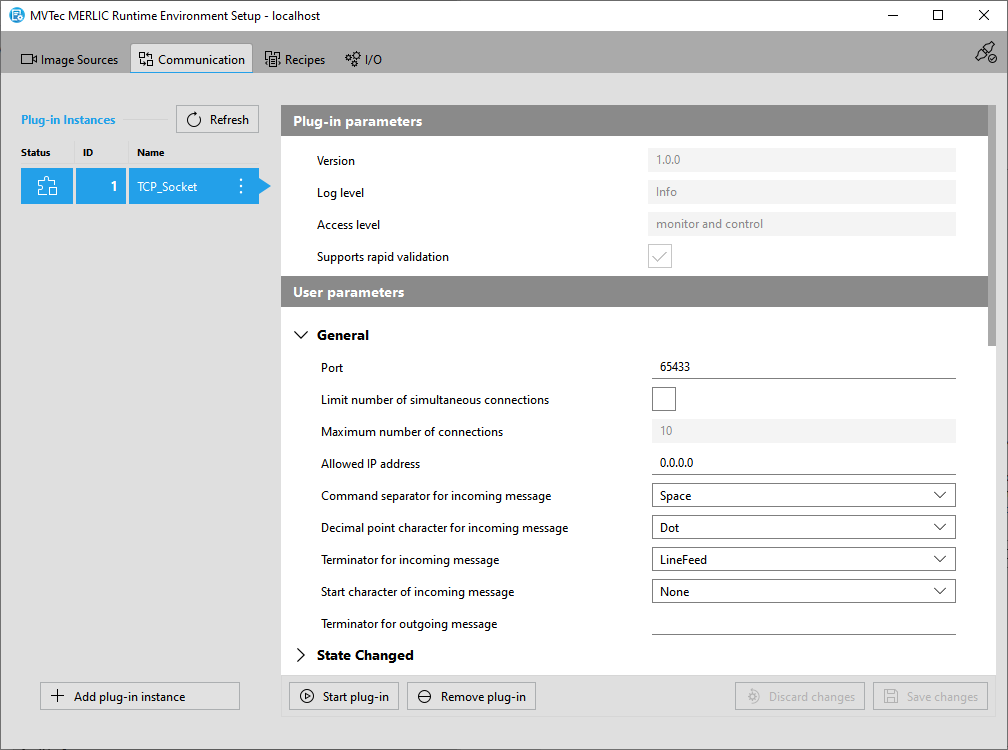
New Communicator Plug-in "TCP Socket"
MERLIC 5.5 extends its connectivity capabilities with the introduction of a new TCP socket plug-in. This plug-in features the ability to use a highly customizable, text-based protocol. You can now configure specific, simple ASCII messages that contain only the information relevant to their application. These messages can be easily processed by devices that do not support complex protocols such as OPC UA.
The plug-in is provided as a separate package which you can download with the MVTec Software Manager. It can then be easily configured in the MERLIC RTE Setup. The documentation of the plug-in can be accessed after the installation from the MVTec Software Manager or from the sub-directory "/help/additional_plugins" within the installation directory.

New Concept Tool "Recognize Color"
MERLIC 5.5 introduces a new functionality for color image processing. It comes with the new concept tool "Recognize Color" that enables the detection of colors in various conditions. It is designed as a tool with training mode which allows defining the desired color classes for the detection. You can further refine the detection accuracy by setting specific thresholds for acceptable deviations.
Concept tools are preliminary MERLIC tools with new functionality in an early stage of development. You can test and evaluate the concept tools and contribute to future development by providing us feedback on the preliminary version. This helps us improving upcoming MERLIC tools and to decide further development steps for future MERLIC versions.
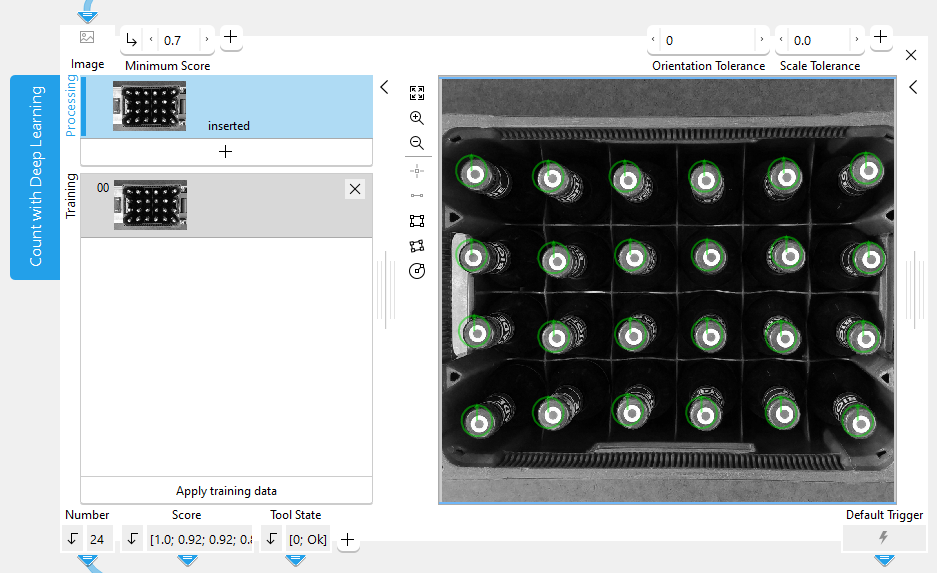
New Concept Tool "Count with Deep Learning"
MERLIC 5.5 provides a new concept tool "Count with Deep Learning" that allows deep-learning-based counting of objects. It enables you to efficiently and accurately count objects while also detecting their positions. Unlike other deep-learning-based methods, this feature can be trained rapidly with minimal labeling. This simplifies the process and enhances the efficiency of counting objects, especially in scenarios involving deformable materials or bulk goods.
Concept tools are preliminary MERLIC tools with new functionality in an early stage of development. You can test and evaluate the concept tools and contribute to future development by providing us feedback on the preliminary version. This helps us improving upcoming MERLIC tools and to decide further development steps for future MERLIC versions.

High Dynamic Range (HDR) Imaging
The MERLIC tool "Merge Images" now provides new methods for High Dynamic Range (HDR) imaging. This enables you to combine images of varying exposures into a single HDR image. This ensures that high contrast differences can be handled, effectively eliminating overexposed or underexposed areas in images. As a result, even the most challenging lighting conditions can be accurately represented and analyzed. Especially, the use of acquisition sequences is particularly helpful in facilitating HDR imaging in MERLIC.
This opens up new possibilities for a variety of applications, including the measurement of reflective surfaces and increasing the dynamic range of an image.
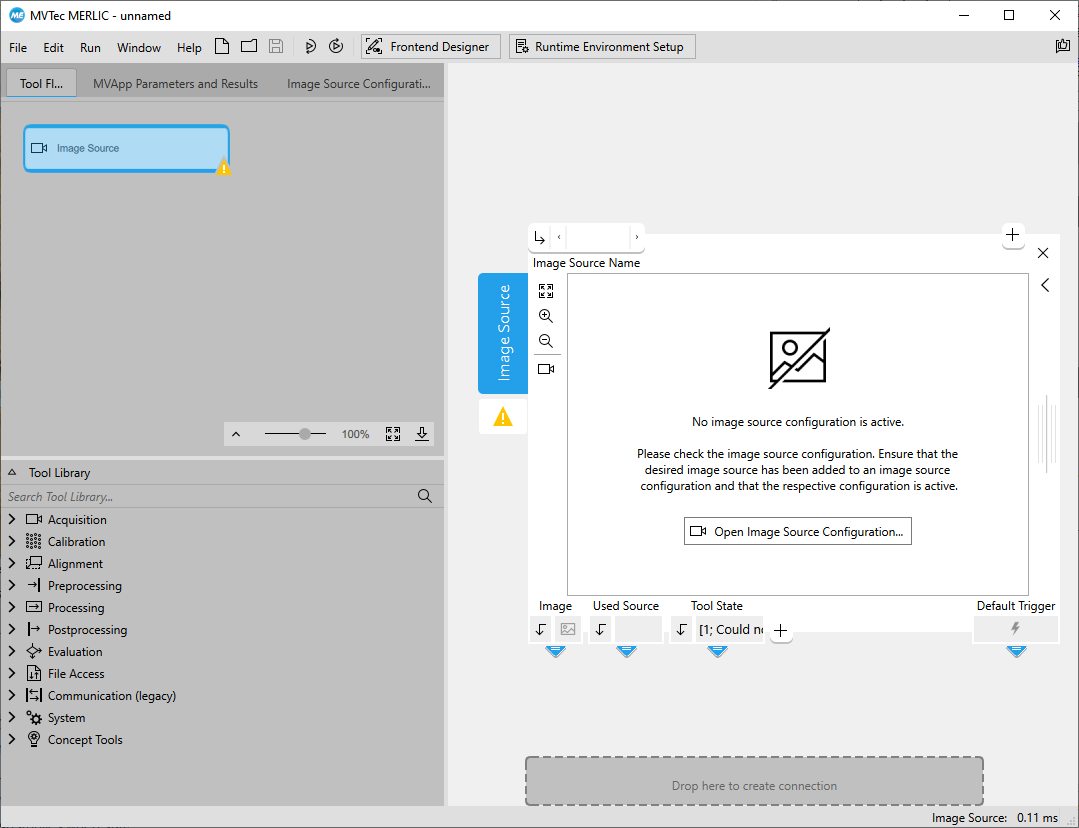
Image Acquisition via ISM as Default
New MERLIC Vision Apps (MVApps) now provide the "Image Source" tool by default instead of the deprecated "Acquire Image from File" tool. As using the Image Source Manager (ISM) is the recommended way to acquire images in MERLIC, it now takes less effort to set up the integration of the images acquired by ISM in your MVApp. If an image source configuration is already active when opening a new MVApp or starting the MERLIC Creator, the first image source of the image source configuration will be automatically selected in the "Image Source" tool. If you want to use images of a different image source from the configuration, you can immediately change the image source in the tool. If now image source configuration is active or if you want to use an image source of a different configuration, you can quickly open the MERLIC RTE Setup from the "Image Source" to adjust the configuration.
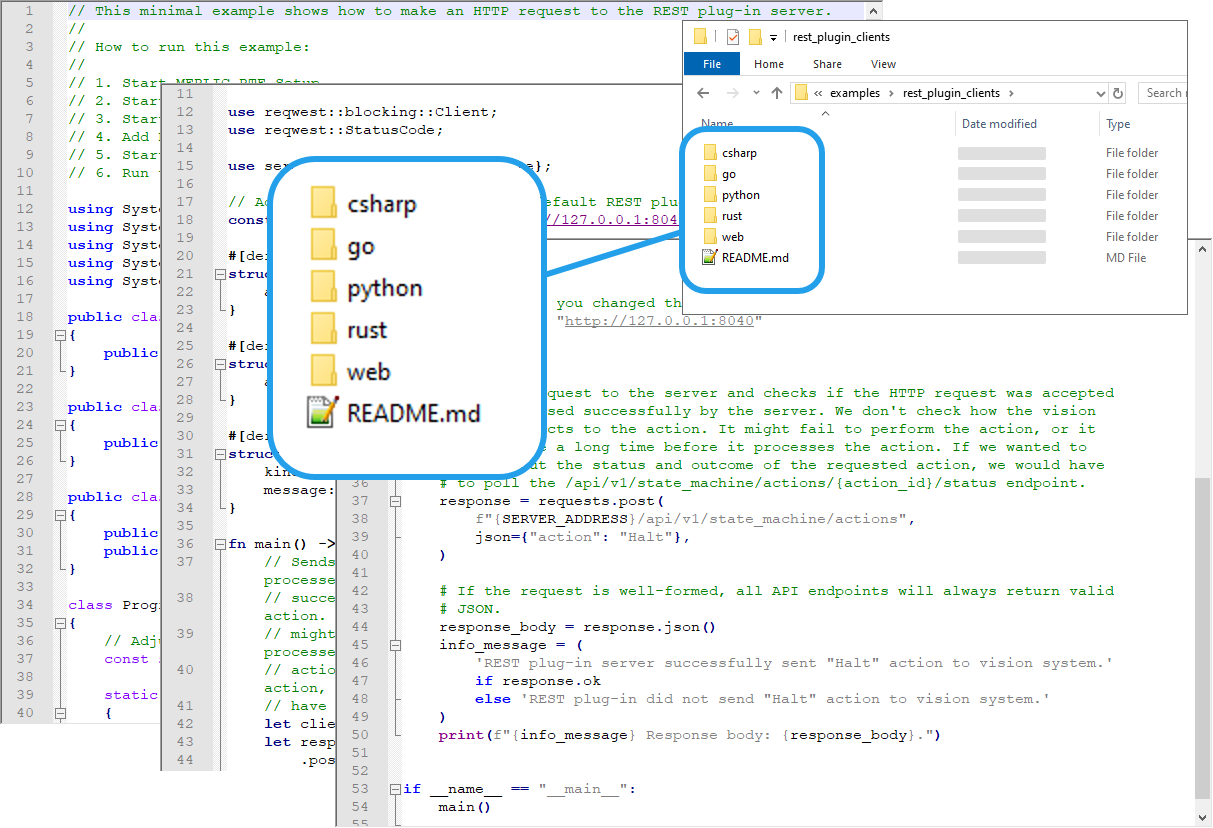
New Example REST API Clients
The REST plug-in API provides a generic interface that allows building various applications interacting with MERLIC. To support you with building your own applications, MERLIC now provides various example REST API clients. The examples are provided in different programming languages and demonstrate different functionality for interacting with MERLIC. You can use the respective source code of the examples as template for your own applications and adjust them as desired.
Speed Up for "PrepareRecipe"
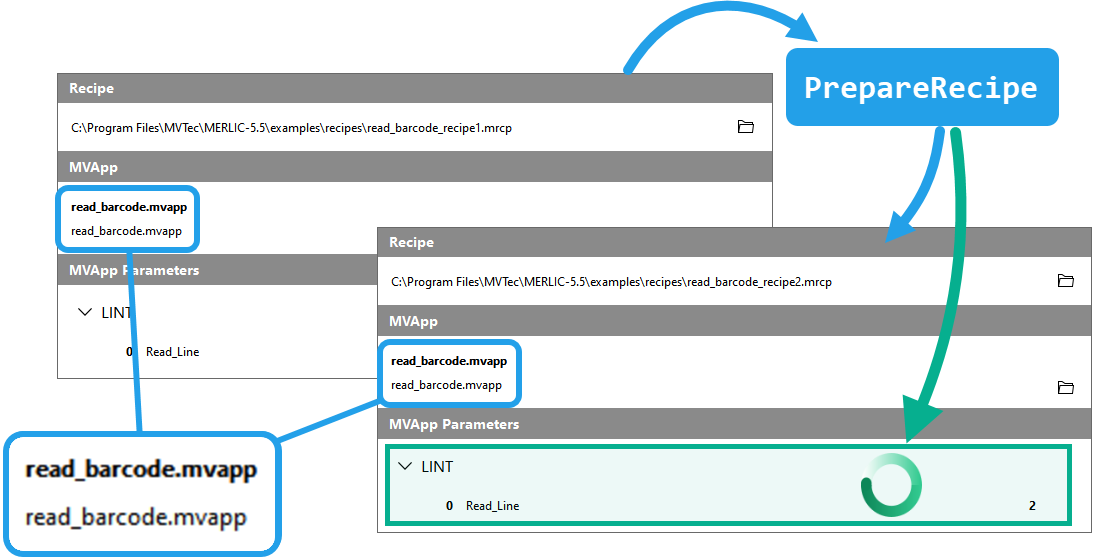
The "PrepareRecipe" command for loading a new recipe in MERLIC RTE mode has been accelerated. When calling "PrepareRecipe", MERLIC now differentiates between two cases: the new recipe references the same MERLIC Vision App (MVApp) that is currently already loaded or the new recipe references a different MVApp. In the latter case, the respective MVApp is loaded as usual. However, if the respective MVApp is already loaded, now only the parameter settings defined in the newly prepared recipe are applied. Thus, the MVApp is not loaded from scratch anymore. This enables much faster loading times when changing to a recipe that references the same MVApp.
As the MVApp is not loaded anew in this case, the state of the respective MERLIC tools or connected Frontends will not be reset. If a reset is required, the current recipe can be unloaded via "UnprepareRecipe" before loading the new recipe
Communicator API Extensions
MERLIC 5.5 includes an updated version of the Communicator API with several extensions.
Support of New Meta Data
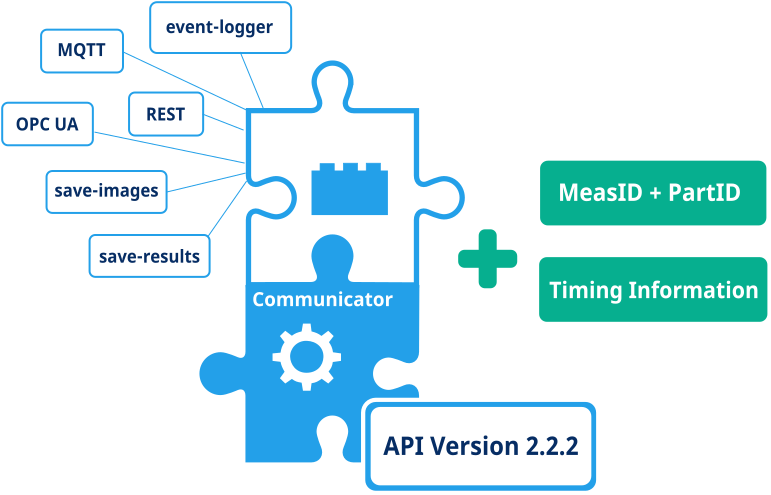
The Communicator API now allows specifying an optional "measurement ID" and "part ID" when starting a job. When these IDs are provided, they will be included in the "JobStarted" and "ResultReady" events as well as in the results obtained through "GetResultById" or "GetResultListFiltered" relating to that job. It is also possible to specify filters for the measurement ID or part ID in "GetResultListFiltered".
Timing Information in Results
The Communicator API now also provides timing information in results. This includes separate timings for image acquisition and processing, as well as timestamps for the start and end of the execution that produced the result. The duration of the image acquisition is also provided in the AcquisitionDone event.
Updated C++ Support Library
The extensions mentioned above have also been reflected in the C++ support library. Thus, plug-ins using the C++ support library also allow the usage of the measurement IDs and part IDs. In addition, the results and AcquisitionDone events have also been extended with the new timing information.
Extended Communicator Plug-ins
The following Communicator plug-ins have been extended to support the new functionality:
- event-logger: now logs the new meta data when it is available.
- MQTT
- OPC UA Server
- REST
- save-images
- save-results