Using Alignment Data
If you want to use alignment data as input or output for your custom tool, you have to add the respective parameter in the procedure interface dialog of the procedure that represents the custom tool. When adding a parameter for alignment data, you have to make sure to define the parameter settings as required for alignment data.
Adding a Parameter for Alignment Data
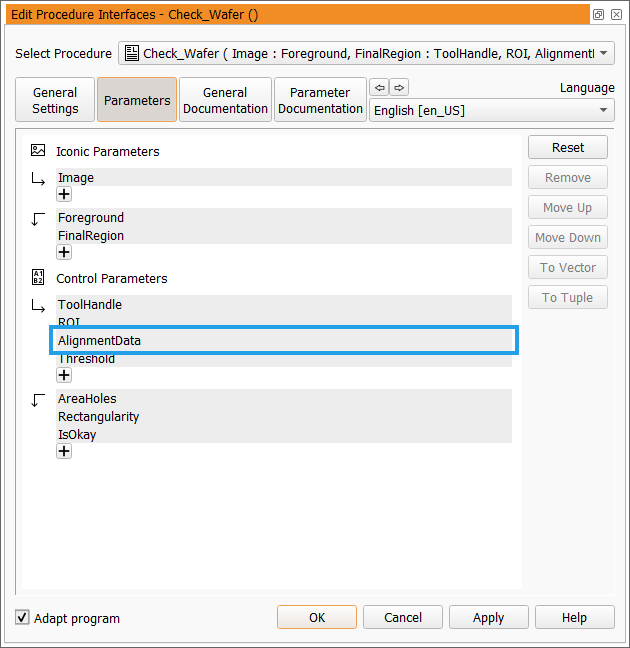
If you add a new parameter for alignment data in the procedure interface dialog of your custom tool procedure, you have to add the parameter as a control parameter. In the example below, the parameter for the alignment data has been added as input control parameter. Thus, this parameter will be available as a tool parameter when using the custom tool in MERLIC. If you want to provide alignment data as a tool result in your custom tool, you have to add it to the output control parameter.
Required Parameter Settings for Alignment Data
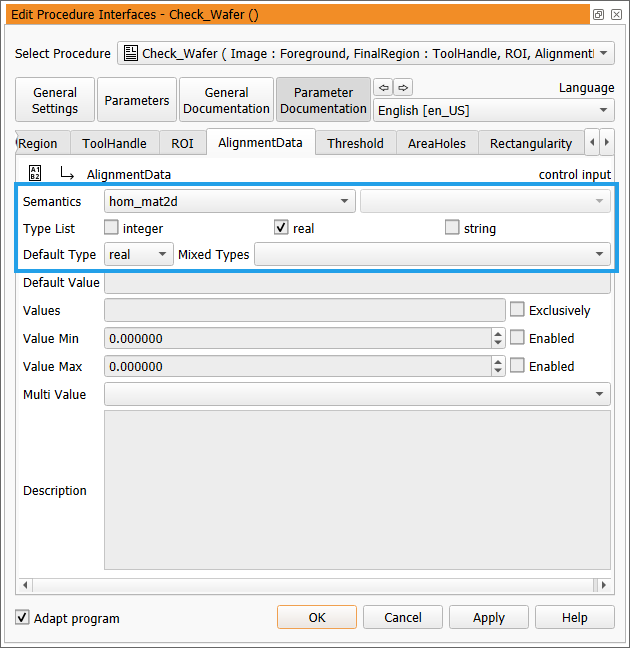
In addition to the parameter type, you also have to ensure that the parameter settings are defined as required. For this, go to the "Parameter Documentation" tab of the procedure interface dialog and select the tab of the respective parameter for the alignment data.
You have to define the following settings for parameters with alignment data:
|
Setting |
Required value |
|---|---|
|
Semantics |
hom_mat2d |
|
Type List |
real |
|
Default Type |
real |
The parameter then accepts a homogeneous 2D transformation matrix with translation and rotation, optionally with scaling.
Handling Alignment Data in Custom Tools
In the following, you can find information how to handle alignment data in a custom tool. You can also get information in which cases you have to add the implementation for applying the alignment data and in which cases it is applied automatically.
Aligning ROIs
In case alignment data are provided for a custom tool, all ROIs that are inserted and used in the tool will be automatically aligned. There is no further manual implementation necessary to ensure that ROIs are correctly aligned. You just have to make sure that a tool parameter is available for the alignment data.
Aligning Other Types of Objects
If you want to align objects such as images or regions, you have to implement the desired transformation with alignment data using the available HALCON operators, e.g., hom_mat2d_rotate or affine_trans_region.
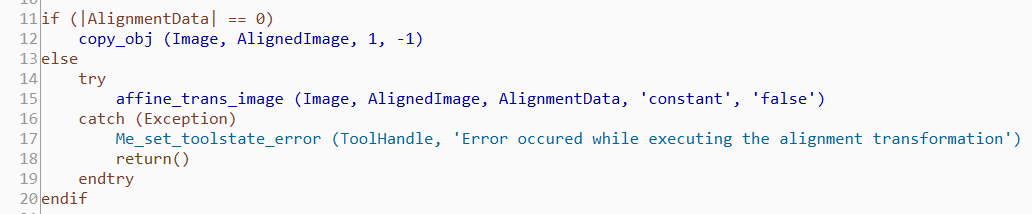
The following images show examples of how the alignment data could be applied. In the first image, the alignment data are applied on an image. In case the alignment failed, the tool state of the tool is set to "error" and an error message is returned.
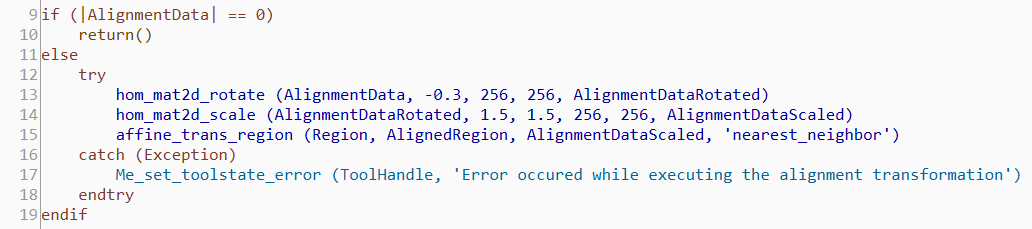
In the following image, the alignment data are applied on a region. Before applying the alignment data on the region, a rotation and a scale is added to the homogeneous 2D transformation matrix contained in "AlignmentData". In case the alignment failed, the tool state of the tool is set to "error" and an error message is returned.