I/O
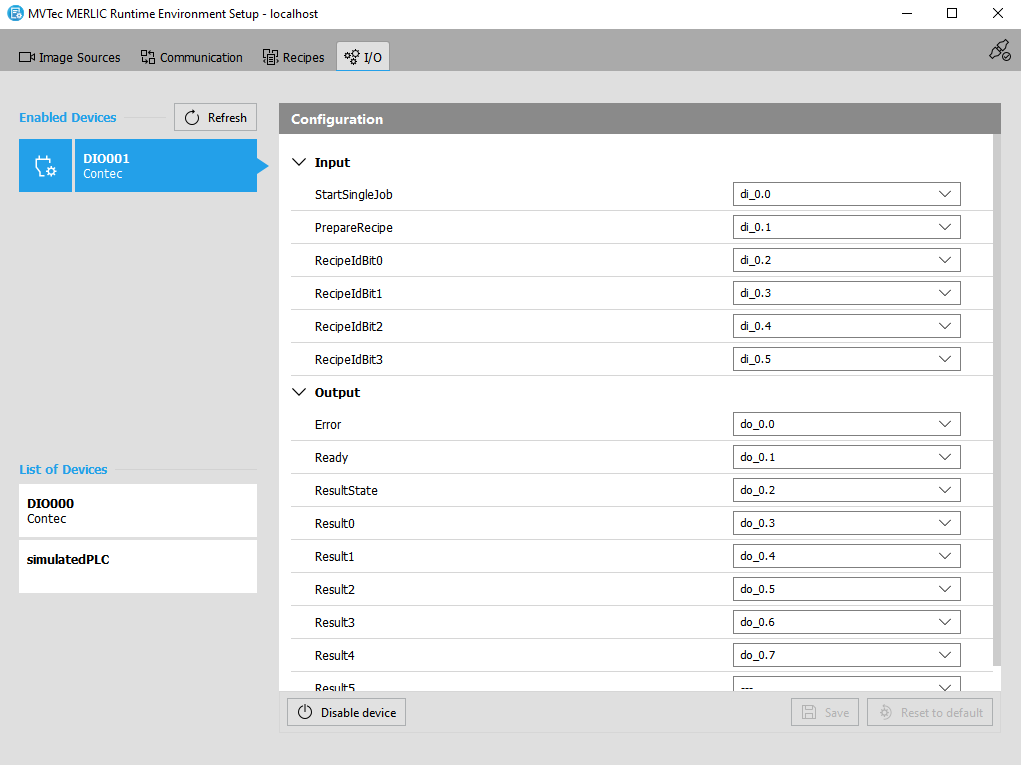
The " I/O" tab of the MERLIC RTE Setup enables you to select and configure the communication device for the process integration MERLIC can be used in machine vision systems that are integrated in a manufacturing machine. The machine controller, e.g., a programmable logic controller (PLC), must be able to control an integrated vision system, to monitor the execution, and to query the results. Therefore, MERLIC provides a process integration mode to enable the communication with a machine controller.
The process integration mode can be started with the application "MERLIC RTE" that is provided with the MERLIC installation.. MERLIC supports the use of Hilscher PCI cards, digital I/O devices, and camera devices with GenICam compliant digital I/O channels. MERLIC also provides a simulated PLC as a virtual device that can be used for simulations.
I/O" tab of the MERLIC RTE Setup enables you to select and configure the communication device for the process integration MERLIC can be used in machine vision systems that are integrated in a manufacturing machine. The machine controller, e.g., a programmable logic controller (PLC), must be able to control an integrated vision system, to monitor the execution, and to query the results. Therefore, MERLIC provides a process integration mode to enable the communication with a machine controller.
The process integration mode can be started with the application "MERLIC RTE" that is provided with the MERLIC installation.. MERLIC supports the use of Hilscher PCI cards, digital I/O devices, and camera devices with GenICam compliant digital I/O channels. MERLIC also provides a simulated PLC as a virtual device that can be used for simulations.
Currently, the "I/O" can only be used to configure the devices on your local system, i.e., if the MERLIC RTE Setup is connected to your local system. If the MERLIC RTE Setup is connected to a remote system, the "I/O" is deactivated. However, in this case, the MERLIC RTE Setup enables you to quickly change to the local system with a single click on a button that will be displayed. In addition, you have to make sure that the process integration mode of MERLIC, i.e., MERLIC RTE, is currently not running to ensure that the configuration options in the "I/O" tab are available.
After clicking on "Refresh" in the "I/O", you can check which devices are currently available for use in the list of devices and select the device that you want to configure and enable for the process integration. A configuration, previously saved for this device, will be shown. If the configuration is valid, you can modify it. If the configuration is not, valid you can only remove it.
The configurations of digital I/O devices and camera devices with I/O channels are quite similar and can be performed exclusively in the "I/O" tab of the MERLIC RTE Setup. In case of Hilscher cards, the main configuration steps are performed beforehand in an external configuration software of Hilscher. The "I/O" tab represents the final configuration part for Hilscher cards. For more information see Configuring the Hilscher PCI Card.
Get More Information
Learn how to select a device to get information about it or to use it in the MERLIC process integration.
Setting up Devices
PCI Card of the cifX PC Card Family
Learn how to set up the communication with a Hilscher card for the MERLIC process integration.
Camera Devices with a GenICam compliant Digital I/O Channels
Learn how to configure the input and output channels of a camera with digital I/O channels for the MERLIC process integration.
Learn how to configure the input and output channels of a digital I/O device for the MERLIC process integration.
Simulated PLC as Virtual Device
Learn how to use a simulated PLC as virtual device for simulations in the MERLIC process integration.