MERLIC Process Integration
MERLIC can be used in machine vision systems that are integrated in a manufacturing machine. The machine controller, e.g., a programmable logic controller (PLC), must be able to control an integrated vision system, monitor the execution, and query the results. Therefore, MERLIC provides a process integration mode to enable the communication with a machine controller.
You can set up the communication between MERLIC and a hardware component such as a Hilscher PCI card, digital I/O device, or camera device with GenICam compliant digital I/O channels to control the execution of MERLIC via a PLC or an other machine controller. In combination with the MERLIC Communicator it is also possible to use other types of devices or interfaces for the process integration. The Communicator is an SDK that enables you to implement plug-ins for any device of your choice for the use in the process integration mode. MERLIC also provides standard Communicator plug-ins and example plug-ins. See the MERLIC Communicator manual for more information.
The process integration mode offers various advantages:
- The PLC is able to control the execution of a MERLIC Vision App (MVApp).
- The PLC may observe and query the current internal state of MERLIC during the process integration.
- The PLC may query the results of the image processing task.
- The communication with the PLC is independent of the machine vision task in the MERLIC Vision App and you can create different configurations for any MVApp and PLC.
The process integration mode can be started with the application MERLIC RTE (Runtime Environment) that is also provided with the MERLIC installation. However, to use the process integration mode, you first have to make some configurations at various independent resources: MERLIC Vision App, MERLIC recipe files A MERLIC recipe file is a crucial part for the MERLIC process integration. It is a separate file (with file ending .mrcp) that defines which MERLIC Vision App is loaded for the process integration. It also defines how the MVApp is parametrized because it contains a set of pre-defined input values for selected tool parameters. You can create multiple recipe files with individual sets of input values for one and the same MVApp. This enables you to reuse an MVApp with different parameter settings for various scenarios of your application. You can also use a recipe file to load an MVApp for a completely different image processing task., and the communication device. In the MVApp, you have to specify the input values that can be configured via a recipe file. In addition, you can define which tool results shall be transferable to your communication device during the process integration. The MERLIC recipe files are a mandatory component for the configuration because they define which MVApp is loaded during the process integration mode and how the MVApp is parametrized.
Get more detailed information about the respective configuration process via the topics that are linked below.
Supported Devices
MERLIC supports the following types of devices for the process integration mode:
- Hilscher PCI card of the cifX PC card family
- Digital I/O devices
- Camera devices with GenICam compliant Digital I/O channels
For more detailed information about the supported devices and how to configure them for the process integration, see the topic I/O.
To use other types of devices for the process integration, MERLIC provides the MERLIC Communicator. The Communicator is an SDK that enables you to implement plug-ins for any device of your choice. MERLIC also provides standard plug-ins and example plug-ins as described below.
Provided Communicator Plug-ins
The Communicator provides standard plug-ins for certain communication technologies and example plug-ins that can be used as basis for the implementation of new Communicator plug-ins.
Setting Up the Process Integration
The following topics contain more detailed information about the supported devices, the required configuration steps, and how to work in the process integration mode.

Learn how to configure the input values of the MVApp for the process integration and how to define the results of the MVApp that will be transferable to your communication device during the process integration mode. In addition, get information about the supported data types.

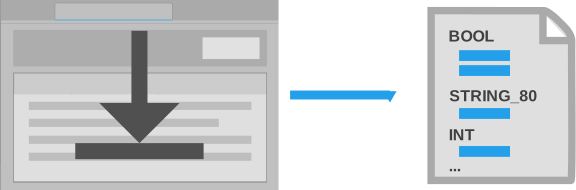
Learn about the recipe files for the process integration and how to create and edit them.

MERLIC Runtime Environment Setup
Get information about the various configuration options in the MERLIC RTE Setup. Get information about the set up of image sources for the images acquisition via the Image Source Manager and earn more about the import and configuration of MERLIC recipe files and the configuration of devices and pug-ins that are used for the communication. The various configuration options are provided in different tabs in the MERLIC RTE Setup: "Recipes", "I/O", and "Communication".
- Image Sources: Add and define image sources configurations for the Image Source Manager.
- Communication: Configuration of the provided Communicator plug-ins and custom Communicator plug-ins.
- Recipes: Import and configuration of MERLIC recipe files.
- I/O: Configuration of devices for which MERLIC provides built-in plug-ins, e.g., digital I/O devices.
Get information about the available commands and signals for the different types of devices during the process integration and get information about the communication protocols to extract data by the communication device.

Using the Process Integration Mode
Learn how to work in the process integration mode with your device using the provided commands and signals.
MERLIC States
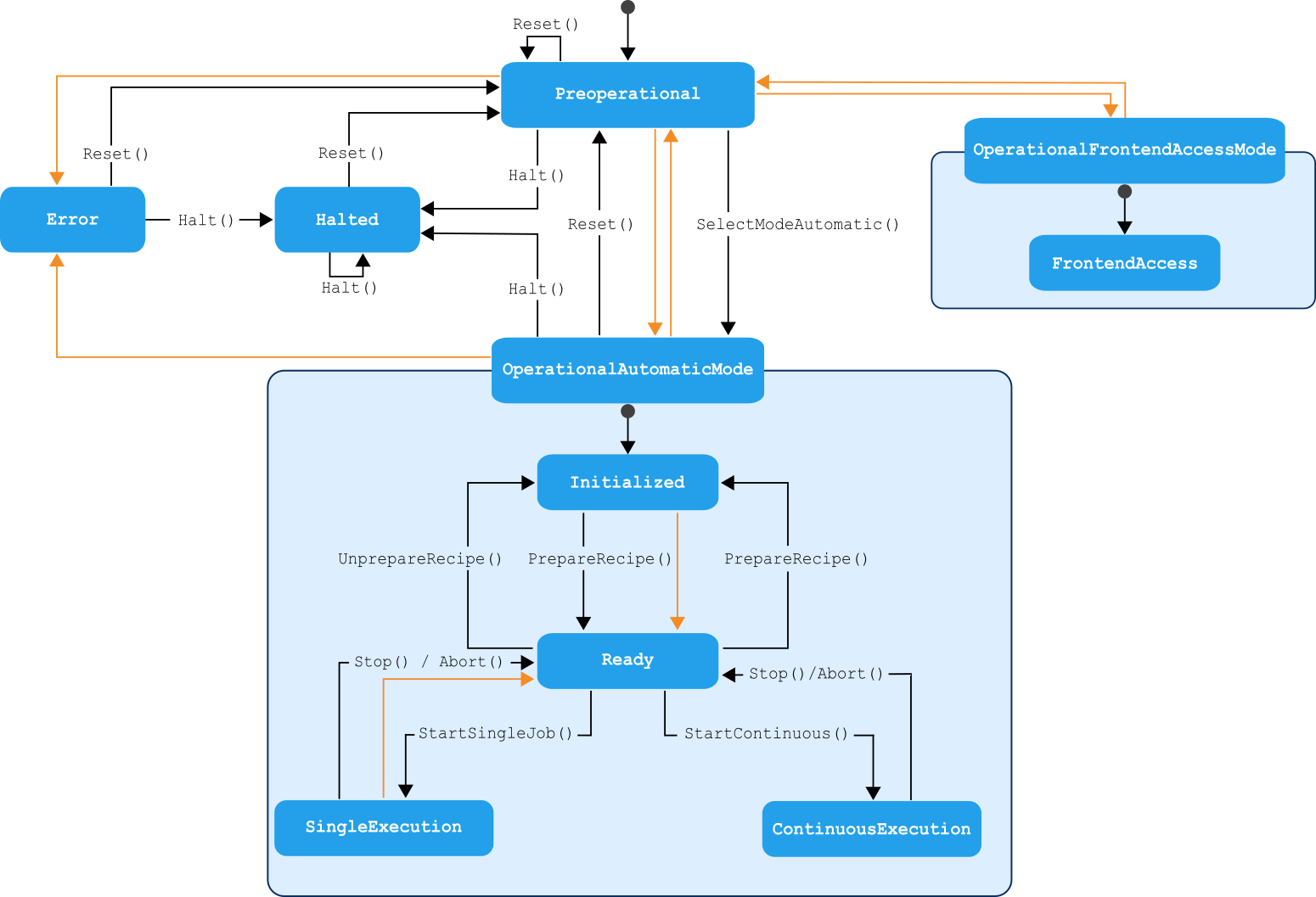
Get information about the available internal states of MERLIC during the process integration mode.
* Modicon® is a registered trademark of Schneider Electric USA, Inc.