Trigger Connectors
Trigger connectors are used to connect tools via trigger connections. Thus, they can be used to define if a tool should be executed immediately after the execution of a specific tool. We distinguish between three types of trigger connectors:
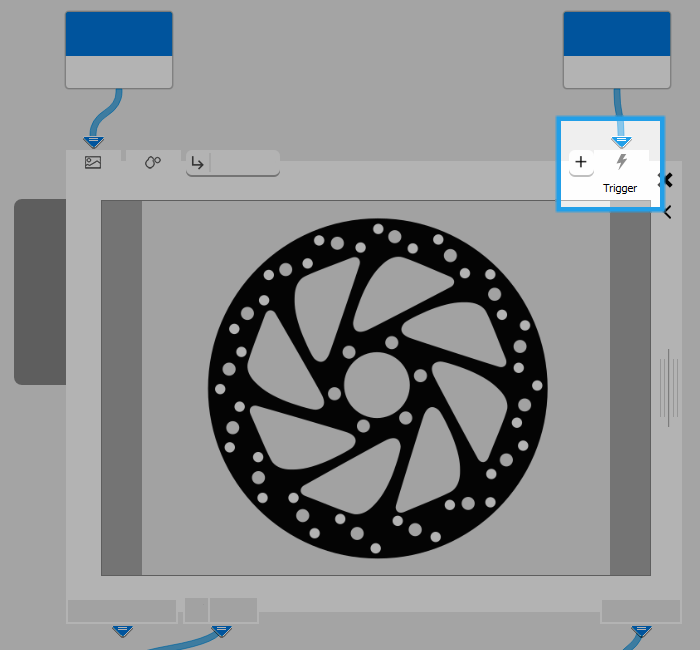
- Input trigger: "Trigger".
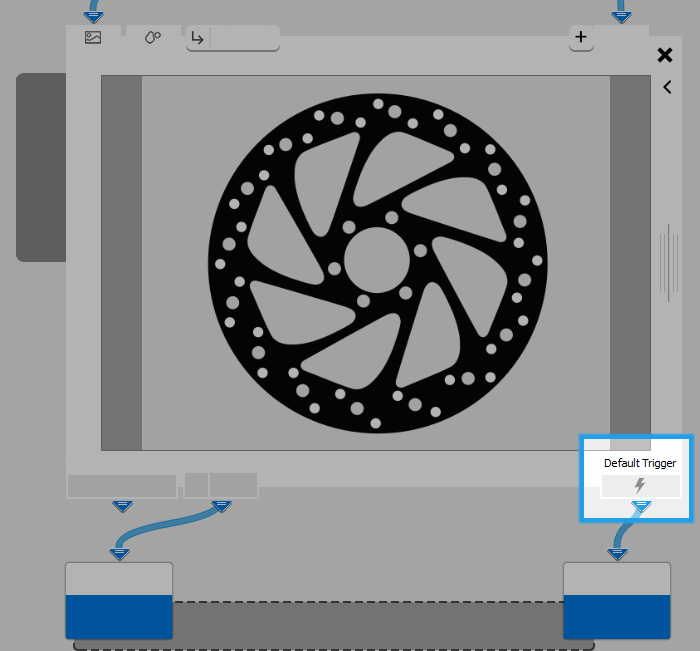
- Output trigger: "Default Trigger".
- Branch triggers
Overview
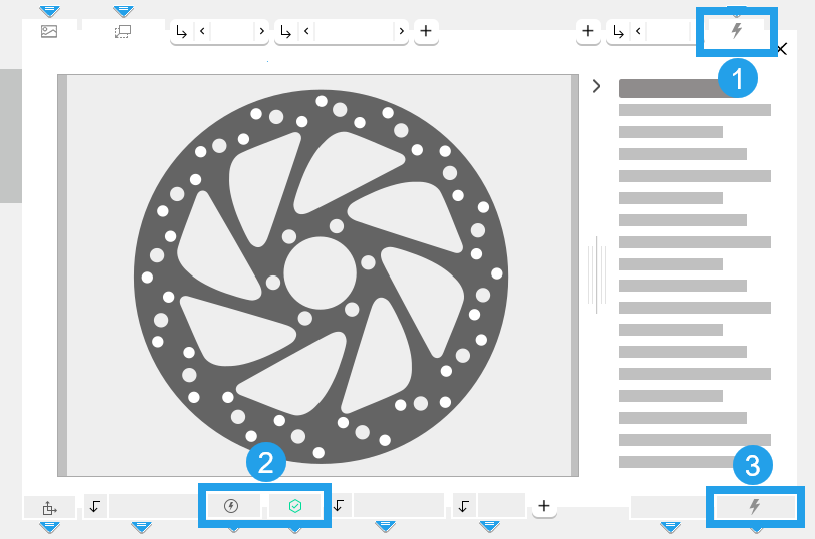
 Input triggers (Trigger)
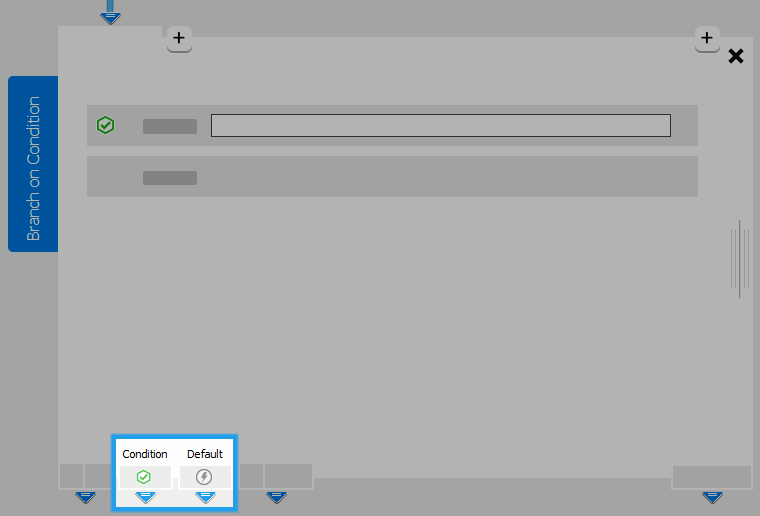
 Branch triggers (Condition and Default)
 Output triggers (Default Trigger)
Input Triggers
Input triggers are located in the upper right corner of the Tool Board. They are not enabled by default. To add a new connector, click on the  button. A MERLIC tool can be triggered from previous tools of the same tool flow but also from previous tools of an other tool flow. You can create any number of input triggers for a tool. However, each input trigger connection needs to receive a trigger in order to activate the execution of the tool.
Output Triggers
Output triggers are located in the lower right corner of the Tool Board. MERLIC tools have a single output trigger named "Default Trigger". It is always active and sends triggers with each execution step to all tools that are connected via a trigger connection.
Branch Triggers
The tool Branch on Condition has two branch triggers which are located in the lower left corner of the Tool Board. By default the branch trigger "Default" is active, even if the tool is in an erroneous state. Furthermore, only one branch trigger can be active, depending on the result of the condition.
Active branch triggers are indicated by a green check mark  . The gray flash icon
  indicates the inactive branch trigger connector.