Calibration
With these tools, you can calibrate images from your camera or use the known size of an object to determine the pixel size:
Common Use Cases
Use this overview to find the right tool to determine calibration data and calibrate your images.
|
Task |
Tool |
Usage |
|---|---|---|
|
Determine calibration data using a calibration plate.
|
Determine the calibration data, i.e., the possible lens distortions of the device that was used to acquire the image data and its position relative to the image plane. The determined calibration data can be used to rectify images with the tool Rectify Image. It can also be used directly in the tools of the category Measuring or Position Determination. This tool only works with a valid calibration plate provided by a MVTec distribution partner. |
|
|
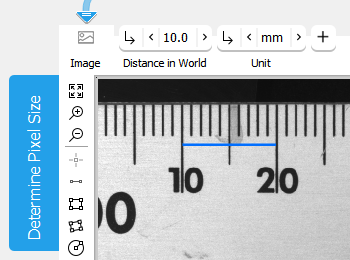
Determine calibration data using a region of interest with a known length.
|
Determine the pixel size with a region of interest (ROI) to define a known length. The result can be used directly in the tools of the category Measuring or Position Determination. |
|
|
Use existing calibration data to rectify images |
Rectify images, i.e., to transform the image in order to correct the effects of lens distortions, rotations, or tilted cameras. The calibration data must be determined previously with the tool Calibrate Camera. To align images instead, use the tool Align Image. |
|
|
Set the coordinate system to a different origin |
Reset the coordinate system based on calibration data that have been previously determined, e.g., with Calibrate Camera. This enables you to set the origin and orientation of the coordinate system according to the actual position and orientation of an object. |