MERLIC 26.10 comes with a lot of new and improved functionality. Here, you can find a quick overview of some of the most interesting changes. To see the list of all updates in this MERLIC version, please refer to the release notes.
New Communication Architecture
Support of TLS Encryption for Network Communication
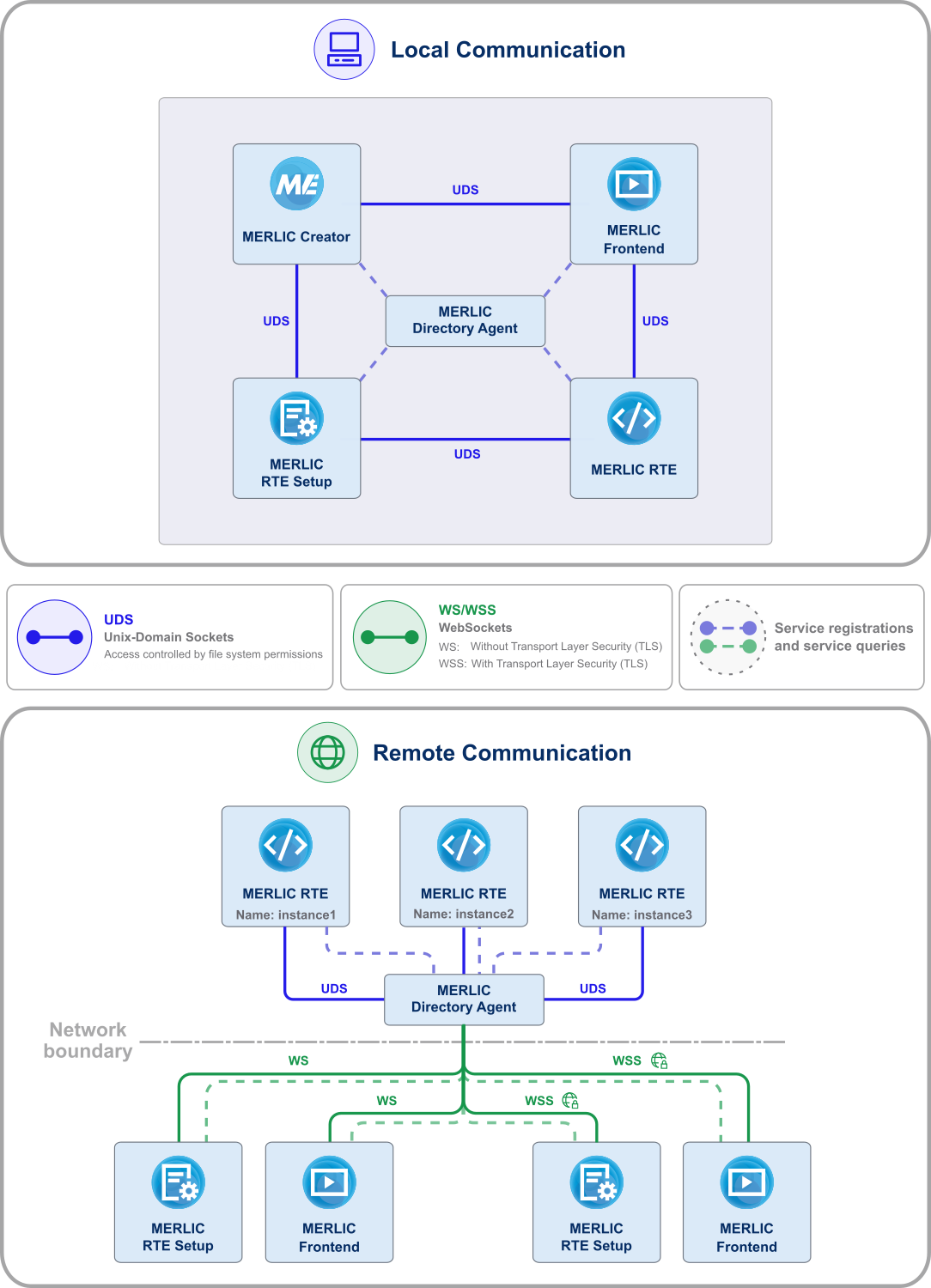
MERLIC's communication architecture has been redesigned to provide a safe and secure environment for production, especially for the transfer of sensitive information via the network with MERLIC components.
If encrypted communication is a must-have in your development or production environment, you can now activate Transport Layer Security (TLS) for communication with MERLIC components.
Improved Remote Connections with WebSockets
Along with the redesign of the communication architecture, MERLIC now uses WebSockets for remote connections. The new architecture simplifies network configuration by reducing the number of required ports and simplifying firewall configuration. Specifying different ports for different MERLIC services is not required anymore. Instead, different MERLIC services and instances now map to different WebSocket endpoints while using the same port. Therefore, handling multiple MERLIC instances running on the same system becomes much easier because it is now possible to select a specific MERLIC instance instead of only the system.
The new architecture also establishes a foundation for future integration of MERLIC applications into web-based environments.
Local Communication with Lower Overhead
With the new communication architecture, MERLIC now uses Unix-domain sockets (UDS) for local connections between MERLIC components running on the same system, eliminating network stack overhead and the need to manage port settings. Access to local communication is controlled through the operating system's file system permissions, providing an additional layer of access control.
Secure-by-Default Communication
MERLIC now follows a secure-by-default communication model. By default, MERLIC does not expose any MERLIC services via remote connections and allows only local connections. Remote connections must be explicitly enabled and configured, giving users full control over the network communication. This minimizes security risks while still providing the flexibility to enable WebSocket-based remote access with optional TLS encryption when required.
New Connection Dialog
Simplified Selection of Systems and MERLIC Instances
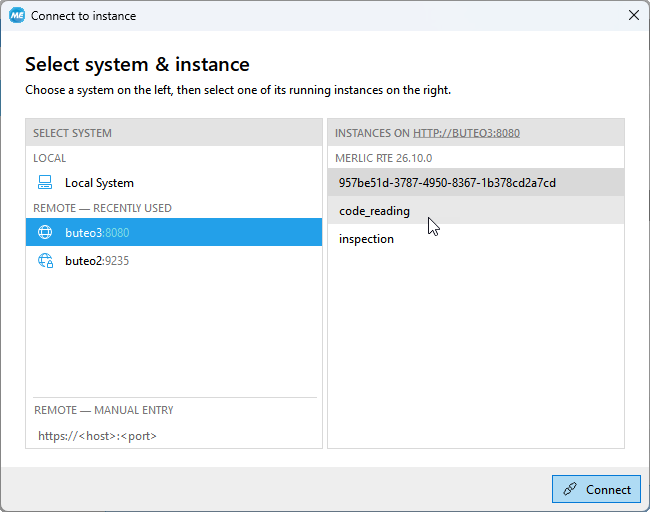
The "Select system" dialog of MERLIC Frontend and MERLIC RTE Setup has been redesigned to support the new communication architecture. In addition to selecting the host, you can now also select a specific instance.
Previously connected MERLIC hosts are automatically displayed for selection. Graphical indicators help to identify the availability of a system and the security level required for connecting to a specific MERLIC instance.
Improved Handling of Multiple Instances
With the new connection dialog, it is easier to work with systems that run multiple instances of MERLIC. Users can now select the desired MERLIC instance they want to connect to. This simplifies configuring and monitoring individual MERLIC instances, especially when multiple MERLIC instances are running on the same system.
Enhanced Grouping
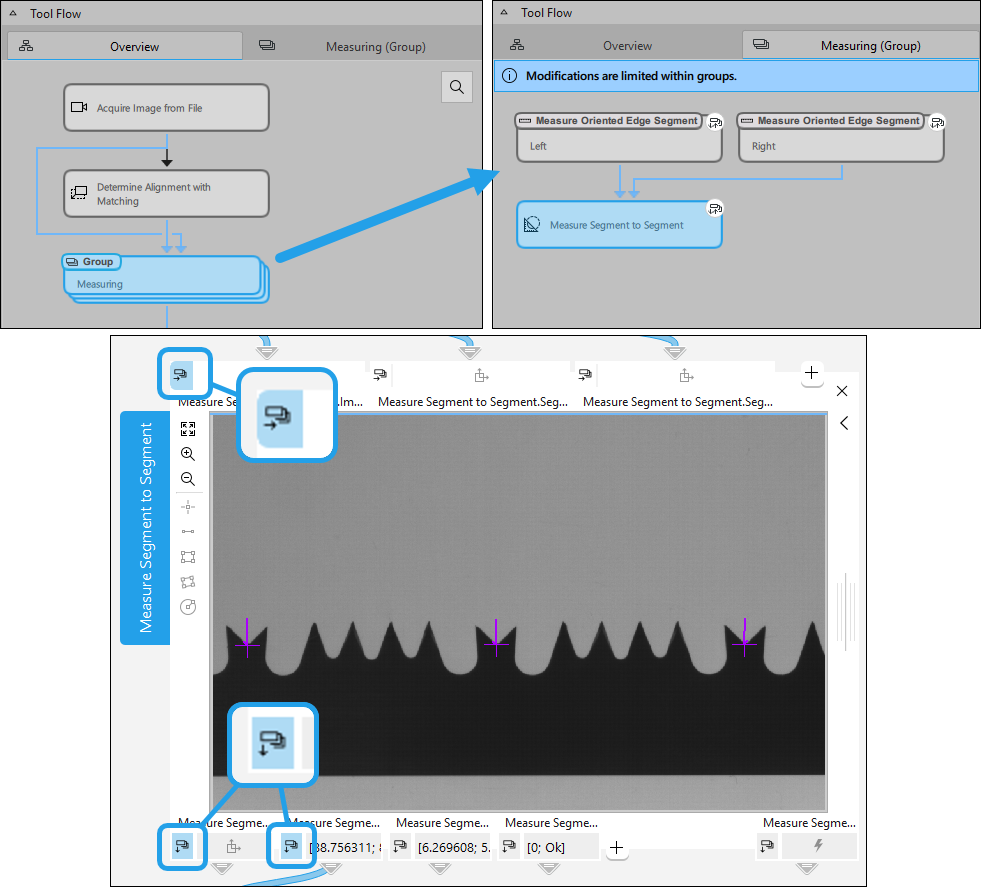
This MERLIC version comes with improved tool grouping functionality. Groups are no longer encapsulated Tool Flow components without any visualization or modification options. Tool groups can now be opened in their own Tool Flow tab to view the tools within the tool group. You may then select individual tools in the group to check and adjust the parameter settings of the respective tools.
Additionally, the group interface is now also configurable. You can configure parameters of grouped tools to be directly displayed and available on the group interface. This greatly facilitates modifications in the Frontend design of an MVApp, especially if any Frontend widgets are connected to parameters and results of grouped tools.
It is therefore no longer necessary to ungroup tools simply to view the content and configuration of grouped tools.
Software Bill of Materials (SBOMs) for MERLIC
MERLIC now provides Software Bill of Materials (SBOMs) for most of its components in SPDX format. This enables compliance verification as well as security analysis in an automated and standardized way. SBOMs are delivered as a machine-readable inventory list containing information such as provenance, dependencies, versions, and licenses. These SBOMs can also be scanned for known vulnerabilities (CVEs). SBOMs for additional components will be added in future releases.
You are welcome to give feedback on the provided SBOMs and whether they meet your requirements. This will help us to improve and extend the SBOM coverage in future releases.
Using MVApps as Recipes
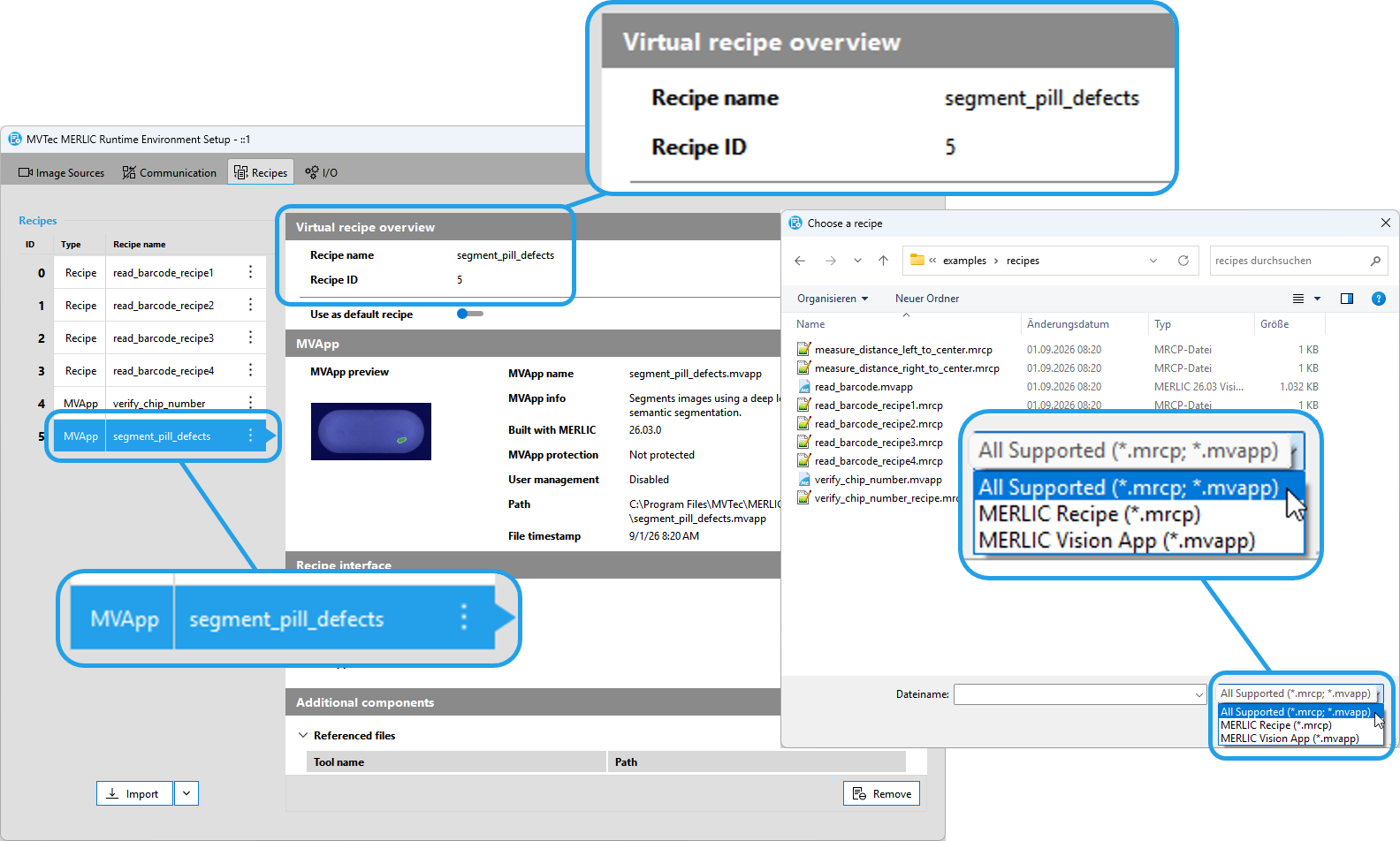
The recipe management of MERLIC has been improved for faster and easier deployment of MERLIC applications. In most use cases, it is no longer required to create a MERLIC recipe. Instead, you can now directly import the MVApp itself to the recipe management. Imported MVApps are handled like virtual recipes. Therefore, they can be used in MERLIC RTE mode like any other recipe file. This facilitates the setup and maintenance of MERLIC files for the process integration.
MERLIC recipes are only required for specific use cases, for example, if you want to define multiple MVApp parameterizations in advance or if you want to use a specific acquisition sequence for an MVApp in MERLIC RTE mode.
Improved ROI Visualization
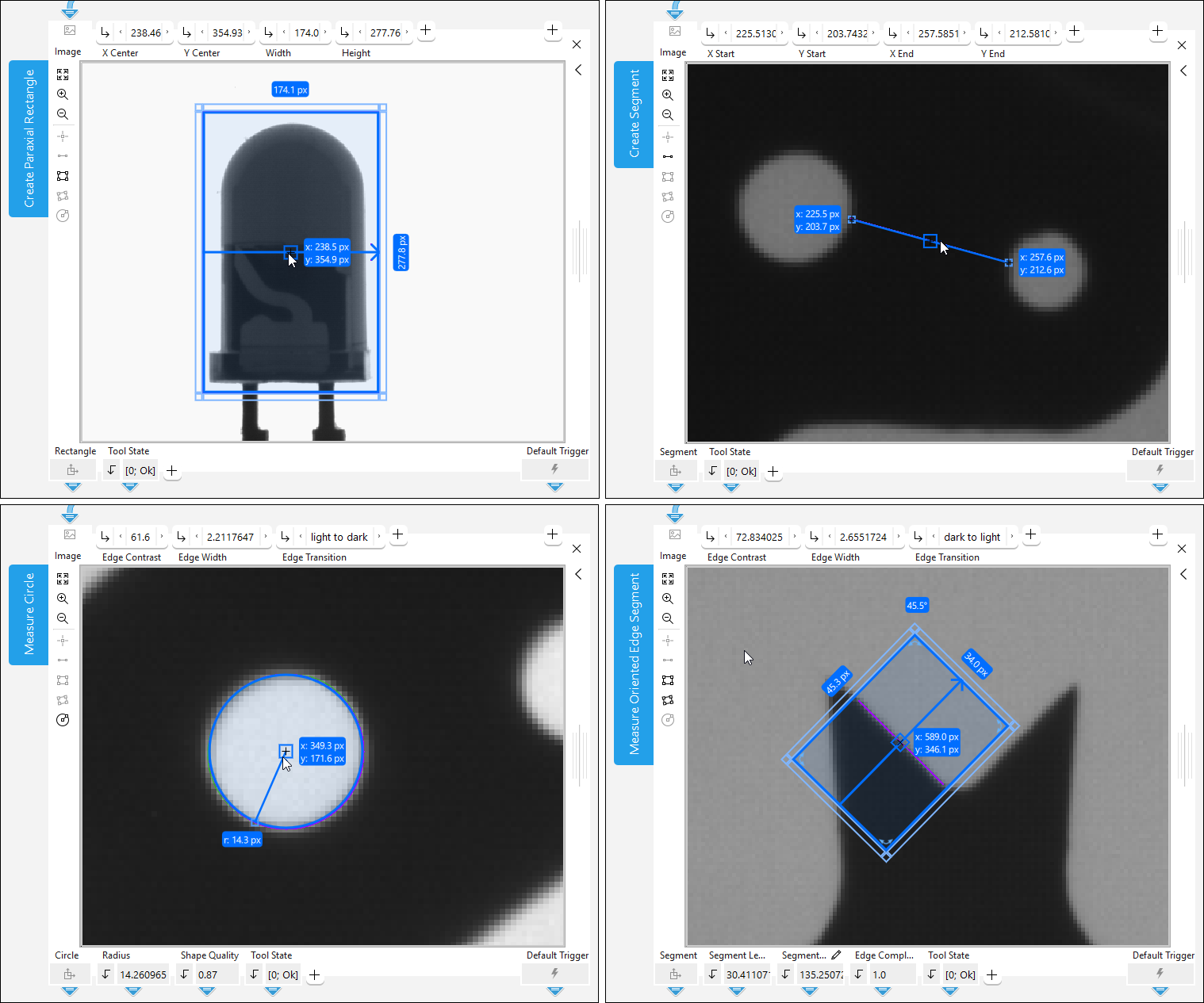
The visualization of regions of interest (ROIs) within MERLIC tools has been improved to simplify the inspection of ROIs during development in MERLIC Creator and in the MERLIC Frontend. When selecting an ROI, MERLIC now displays key metrics such as width, height, position, angle, and radius depending on the ROI type. This allows you to access relevant ROI information at a glance without further effort.