Checking the Contents of a Recipe
The "Recipes" tab of the MERLIC RTE Setup displays detailed information about the imported MVApps and recipes A MERLIC recipe represents a file with file ending ".mrcp", which references a specific MERLIC Vision App (MVApp) with a specific MVApp configuration. In MERLIC RTE, the process integration mode of MERLIC, recipes are used to load the referenced MVApp with the configuration as specified in the recipe. MERLIC recipes are only required if you want to set up mulitple pre-defined MVApp parameterizations for the same MVApp, or if you want to aktivate and use a specific acquisition sequence when loading an MVApp in MERLIC RTE that are available for MERLIC RTE.
You can get general information on the imported files but also detailed information on the respective MERLIC Vision App (MVApp) such as the parameterization. In the following, we will describe in detail which information is provided.
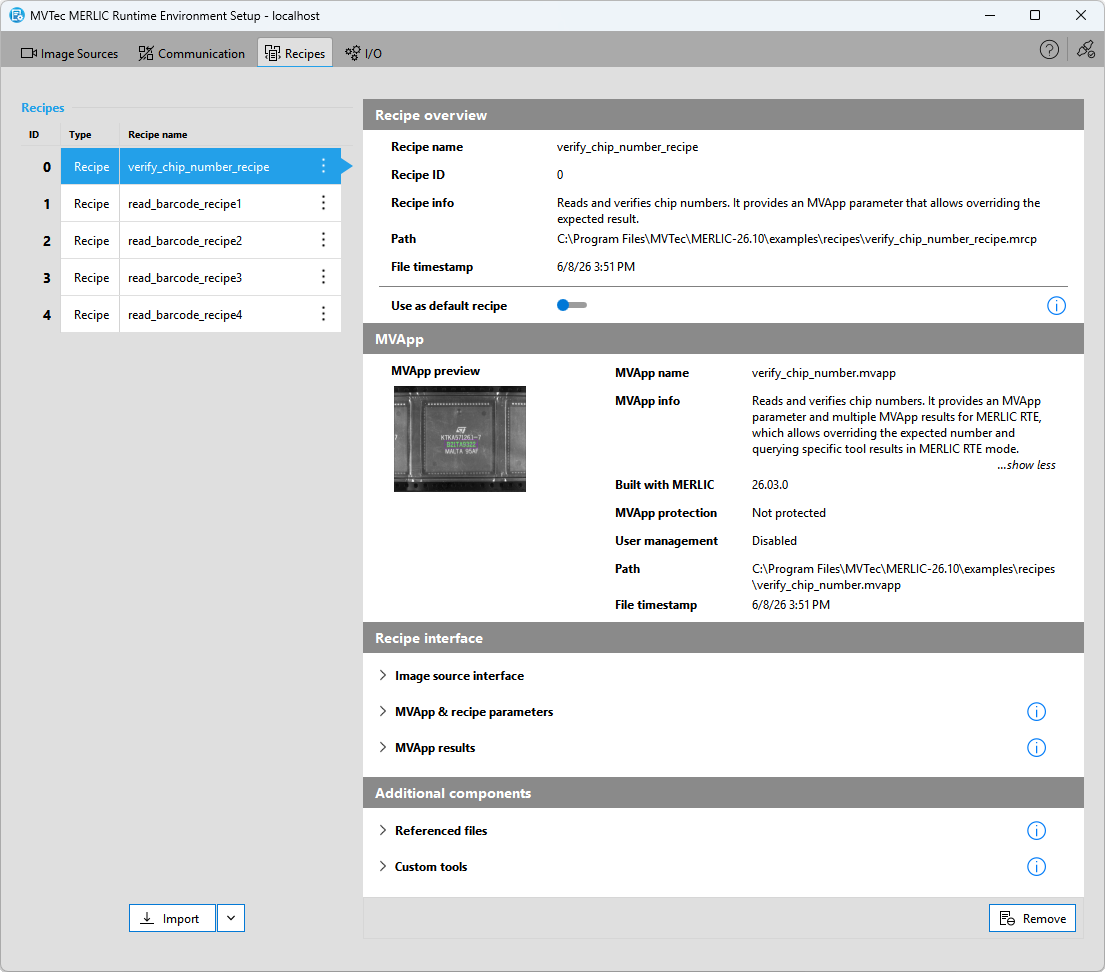
Keep in mind that the recipe information is not updated automatically when modifying the MVApp of an already imported recipe or the recipe itself while the MERLIC RTE Setup is running. You have to manually re-import the recipe again or restart the MERLIC RTE Setup to make sure that all recipes and all information on the referenced MVApps is loaded again in the "Recipes" tab.
The same applies when changing the modification of an MVApp, that is already imported. You have to re-import the MVApp or restart the MERLIC RTE Setup to update the values in the recipe management.
List of Imported Files
The left side of the "Recipes" tab shows the list of imported files. These may either be MVApp files or recipe files. The list contains the name of the file and the respective recipe ID.
If an MVApp is imported, it will be treated like a recipe file. Therefore, it will also be assigned a recipe ID. The recipe ID is crucial when using MERLIC RTE because if you want to change the recipe during the process integration, you have to specify the recipe to be loaded with its ID.
If MERLIC encounters a problem, the imported file is marked with the icon  .
.
Changing the Order of the Recipes
You can change the order of the imported MVApps and recipes in the list as desired. Any modifications in the "Recipes" tab will be saved automatically.
- Drag-and-drop the recipe to the desired position.
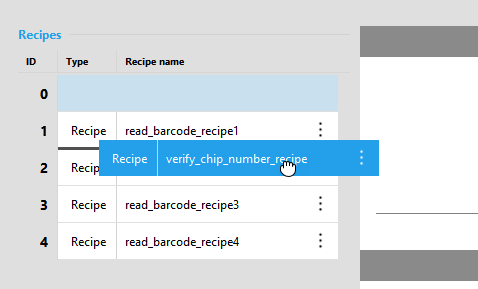
- Repeat this step until the files are ordered as desired.
Keep in mind that changing the order also affects the associated recipe ID.
Detailed Information
The right side of the "Recipes" tab shows the content of the currently selected file. The information is displayed in different categories.
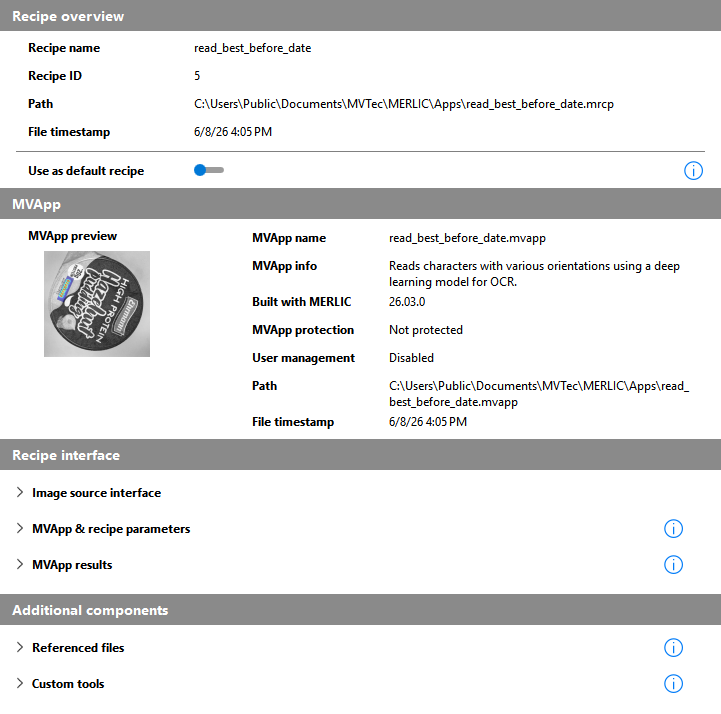
The following sections describe the provided information for each category:
Recipe overview
This section provides information regarding the recipe file itself.
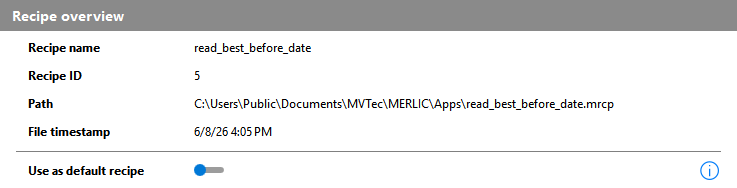
For imported MVApp files, the overview looks like this.

Recipe name
The name of the recipe or MVApp without file ending.
Recipe ID
The ID of the recipe. This ID is used in MERLIC RTE to reference the recipe to be loaded.
Path
The absolute file path of the recipe file. In case of an imported MVApp, no file path is given because no recipe file exists.
The time and date when the recipe was last saved. In case of an imported MVApp, no timestamp is given because no recipe file exists.
Use as default recipe
This setting can be used to set the recipe as default recipe for MERLIC RTE. An imported MVApp can also be set as default recipe for MERLIC RTE, For more information, see Defining the Default Recipe.
MVApp
This section provides general information on the referenced MVApp.
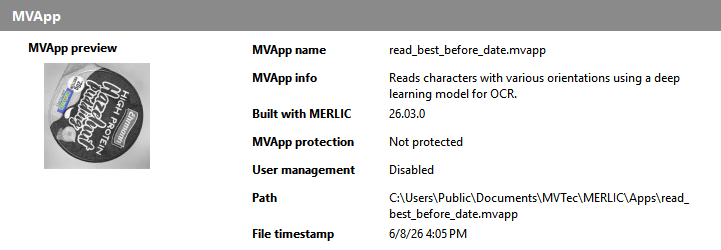
MVApp preview
The preview image of the MVApp. If no preview image is defined, a placeholder image is shown. For more information, see Defining a Preview for a MERLIC Vision App.
MVApp name
The name of the MERLIC Vision App.
Built with MERLIC
The MERLIC version in which the MVApp was last saved.
MVApp protection
The respective value shows whether the MVApp is protected. For more information, see Protecting a MERLIC Vision App.
User management
The respective value shows whether the user management is used for the Frontend of the MVApp. For more information, see Setting up the User Management.
Path
The absolute file path of the MVApp.
The time and date when the MVApp was last saved.
Recipe interface
This section provides information regarding the image acquisition via the Image Source Manager (ISM) and the defined tool parameters and tool results that have been set as MVApp parameters and MVApp results for MERLIC RTE.
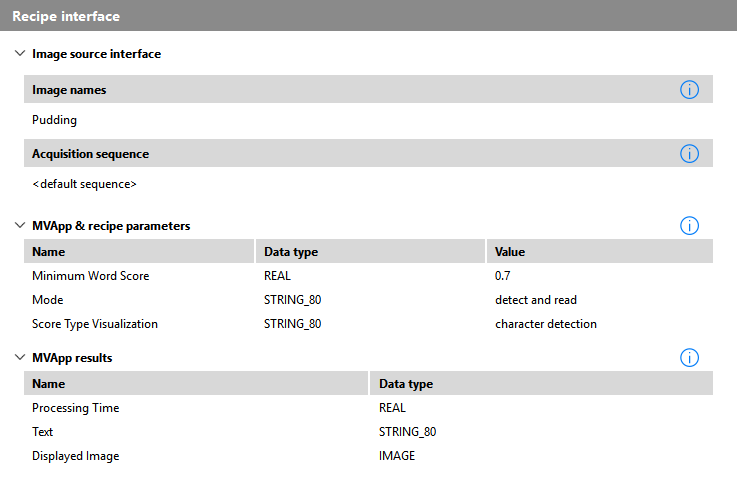
Image source interface
This section provides information regarding the used image source configuration via the Image Source Manager (ISM).
|
Value |
Description |
|---|---|
|
Image names |
The names of all images that are obtained in the MVApp via Image Source tools. This section only lists images acquired via ISM. Images obtained by the "Acquire Image from File" tool are listed in section Additional components. |
|
Acquisition sequence |
The name of the acquisition sequence that is referenced in the recipe. If no specific acquisition sequence was selected when creating the recipe, the respective default sequence of the image source configuration is used. For imported MVApp files, always the default acquisition sequence will be used. For more information, see Configuring Acquisition Sequences. |
MVApp & recipe parameters
The pre-defined set of MVApp parameters for the parameterization of the MVApp. For each MVApp parameter, the user-defined name, the data type, and the value is shown.
In case of a recipe file, the values that are stored in the recipe file are shown. These might differ from the values of the MVApp that is referenced in the recipe. In case of an imported MVApp file, the values configured in the MVApp itself are shown.
These parameters represent the tool parameters that have been added to the MVApp parameters. When loading the recipe in MERLIC RTE, their input values can be overwritten by the respective communication source, for example, a PLC. For more information, see MVApp Parameters.
MVApp results
The list of tool results that are accessible in MERLIC RTE mode for the respective external communication source, for example, a PLC. For each MVApp result, the user-defined name and data type is shown.
When loading the recipe in MERLIC RTE, only the MVApp results shown in this list can be queried by the external communication source. Other tool results will not be available. For more information, see MVApp Results.
Additional components
This section provides information on additional files and MERLIC tools that are used in the MVApp.
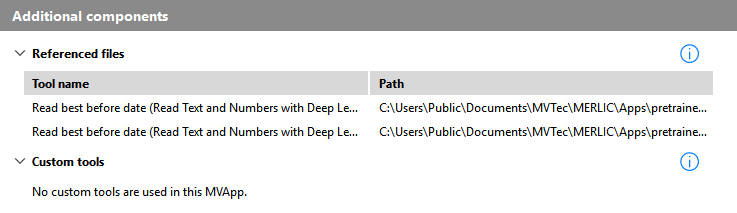
Referenced files
The list of all MERLIC tools that are referencing an external file as input, for example, a deep learning model. It shows the name of the MERLIC tool and the absolute file path to the referenced file. This also includes image sources from file that are acquired with the tool "Acquire Image from File".
Custom tools
The list of all custom tools that are used in the MVApp. It shows the name of the custom tool and the respective tool path.