Editing a MERLIC Recipe
Editing a recipe file is quite similar to creating a new recipe file. You can perform the changes at the MERLIC Vision App (MVApp), that is associated to the recipe file, in the MERLIC Creator and adjust the MVApp parameters as desired:
- Open the MVApp that is referenced in the MERLIC recipe file to be edited.
- Adjust the MVApp and the tool parameters to your requirements.
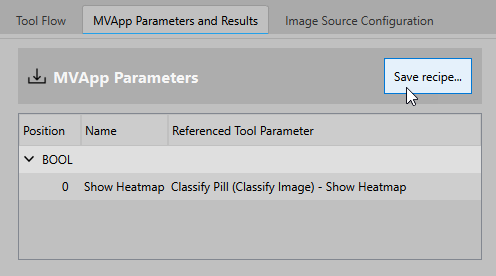
- Check if the list of MVApp parameters still fits your requirements:
- Remove the MVApp parameters that you do not want to parametrize via the recipe file anymore.
- If necessary, add further tool parameters to the list of MVApp parameters.
For more information, see MVApp Parameters.
- Click the button "Save recipe..." to open the recipe dialog.
- Adjust the settings in the recipe dialog as described in Creating a MERLIC Recipe.
If the recipe is already imported in the "Recipes" tab of the MERLIC RTE Setup, make sure to re-import the recipe to update the values for MERLIC RTE. For more information, see Importing MVApps and Recipes for MERLIC RTE.