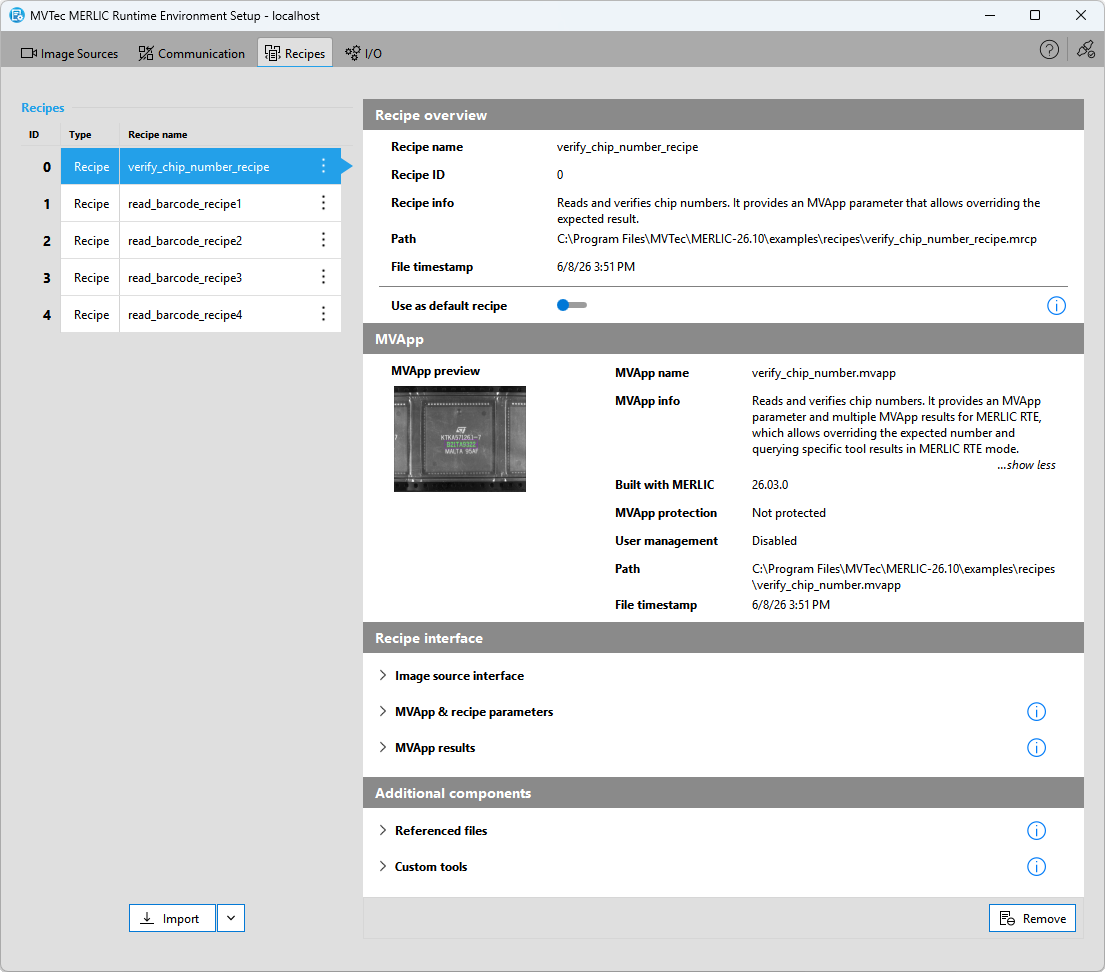
Recipes Tab
The " Recipes" tab of the MERLIC RTE Setup enables you to set up your MVApps and MERLIC recipes A MERLIC recipe represents a file with file ending ".mrcp", which references a specific MERLIC Vision App (MVApp) with a specific MVApp configuration. In MERLIC RTE, the process integration mode of MERLIC, recipes are used to load the referenced MVApp with the configuration as specified in the recipe.
MERLIC recipes are only required if you want to set up mulitple pre-defined MVApp parameterizations for the same MVApp, or if you want to aktivate and use a specific acquisition sequence when loading an MVApp in MERLIC RTE for the process integration. You can import MVApps and recipe files, check the contents of the imported files, and define a default recipe that is loaded automatically after launching MERLIC RTE. When importing an MVApp, a virtual recipe will be created based on the MVApp configuration, and the MVApp can be used like a regular recipe file in MERLIC RTE. This means, that a recipe ID will be assigned to the imported MVApp, and in MERLIC RTE mode, the MVApp can be used by loading the respective recipe ID.
Importing MVApps or recipe files is essential because only those files that have been imported via the "Recipes" tab are available for MERLIC RTE. If you changed an existing recipe file, you also have to re-import the recipe to ensure that the adjusted recipe file can be loaded in MERLIC RTE mode.
Requirements and Limitations
The "Recipes" tab is currently only available if the MERLIC RTE Setup is connected to the local system. This means that only recipe files on the local system can be imported and set up for MERLIC RTE. If the MERLIC RTE Setup is connected to a remote system, the "Recipes" tab is deactivated. You have to open the MERLIC RTE Setup on the system on which the recipes are stored.
In addition, the configuration options and the overview in the "Recipes" tab are only available if MERLIC RTE is not running. Thus, you have to make sure to stop MERLIC RTE before configuring the recipes.
The "Recipes" tab is only available for the local system and if MERLIC RTE is currently not running.
Recipes in MERLIC RTE Mode
During MERLIC RTE you can load any recipe file that has been imported. The MVApp referenced in this recipe will then be loaded with the pre-defined parameter settings. Keep in mind that the respective MVApp is not loaded anew if you change to a recipe that references the same MVApp but with different parameter settings. Instead, only the parameter settings defined in the newly loaded recipe are applied. As the MVApp is not loaded anew in this case, the state of the respective MERLIC tools or connected Frontends will not be reset. For example, this might affect tool results such as "Counter" of the Get Execution Info tool or the buffered data in Determine Data History. If you want to ensure that the MVApp is loaded anew when changing the recipe, you can first unload the current recipe via "UnprepareRecipe" before loading the new recipe.
Get More Information
You can find more information on the creation and setup of MERLIC recipes and the recipe management for the process integration on the following pages: