 Recipes Tab
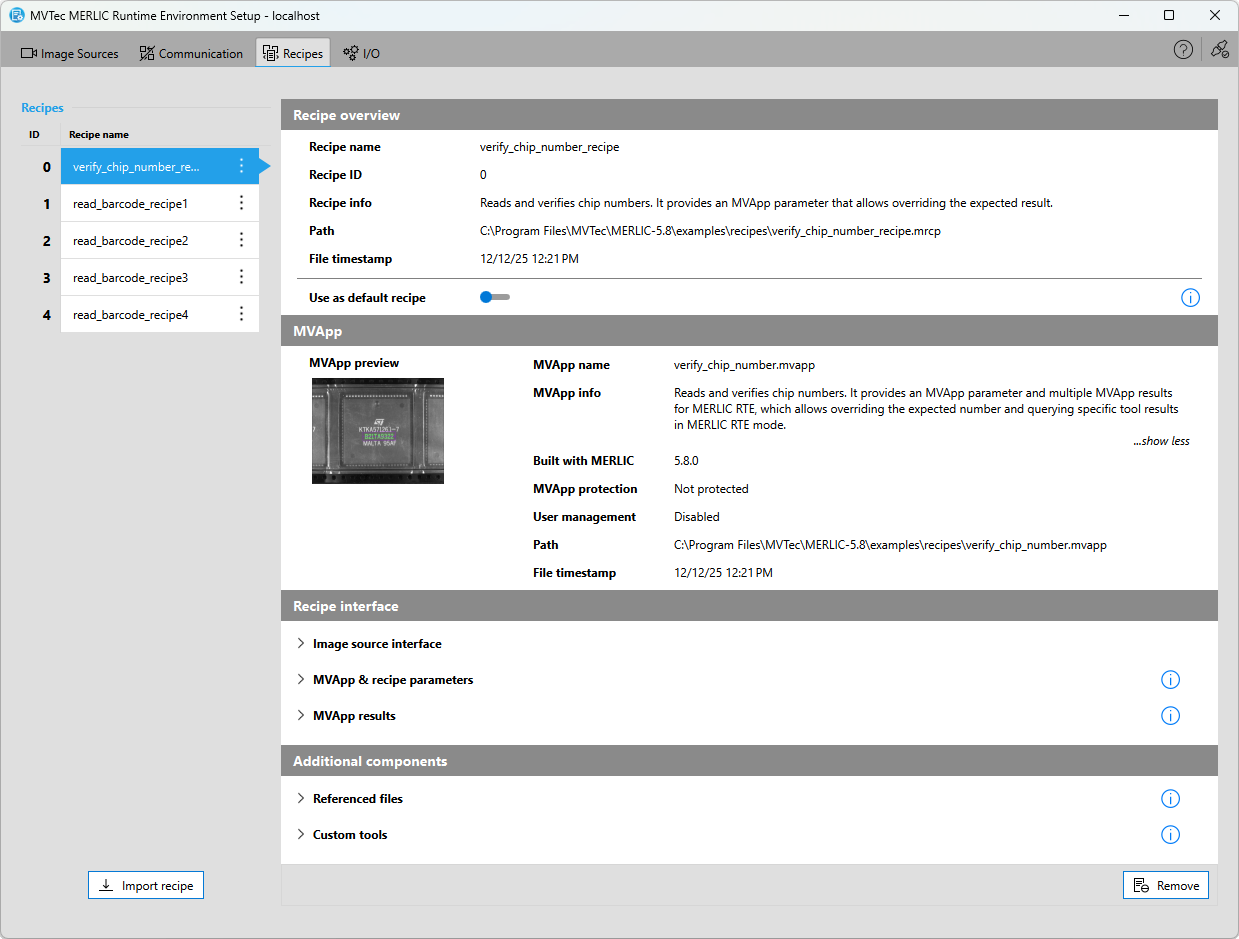
The " Recipes" tab of the MERLIC RTE Setup enables you to set up your MERLIC recipes A MERLIC recipe file is a crucial part for the MERLIC process integration. It is a separate file (with file ending .mrcp) that defines which MERLIC Vision App is loaded for the process integration. It also defines how the MVApp is parametrized because it contains a set of pre-defined input values for selected tool parameters.
You can create multiple recipe files with individual sets of input values for one and the same MVApp. This enables you to reuse an MVApp with different parameter settings for various scenarios of your application. You can also use a recipe file to load an MVApp for a completely different image processing task. for the process integration. You can import your recipe files, check the contents of the imported recipes, and define a default recipe that is loaded automatically after launching MERLIC RTE.
Importing the recipe files is essential because only those recipe files that have been imported via the "Recipes" tab are available for MERLIC RTE. If you changed an existing recipe file, you also have to re-import the recipe to ensure that the adjusted recipe file can be loaded in MERLIC RTE mode.
Requirements and Limitations
The "Recipes" tab is currently only available if the MERLIC RTE Setup is connected to the local system. This means that only recipe files on the local system can be imported and set up for MERLIC RTE. If the MERLIC RTE Setup is connected to a remote system, the "Recipes" tab is deactivated. However, the MERLIC RTE Setup enables you to quickly change to the local system with a single click on a button that will be displayed.
In addition, the configuration options and the overview in the "Recipes" tab are only available if MERLIC RTE is not running. Thus, you have to make sure to stop MERLIC RTE before configuring the recipes.
The "Recipes" tab is only available for the local system and if MERLIC RTE is currently not running.
Recipes in MERLIC RTE Mode
During MERLIC RTE you can load any recipe file that has been imported. The MVApp referenced in this recipe will then be loaded with the pre-defined parameter settings. Keep in mind that the respective MVApp is not loaded anew if you change to a recipe that references the same MVApp but with different parameter settings. Instead, only the parameter settings defined in the newly loaded recipe are applied. As the MVApp is not loaded anew in this case, the state of the respective MERLIC tools or connected Frontends will not be reset. For example, this might affect tool results such as "Counter" of the Get Execution Info tool or the buffered data in Determine Data History. If you want to ensure that the MVApp is loaded anew when changing the recipe, you can first unload the current recipe via "UnprepareRecipe" before loading the new recipe.
Get More Information
You can find more information on the creation and setup of MERLIC recipes for the process integration in the following chapter:


