Components
MERLIC offers several components that are used to acquire images, to create vision applications, to design and start a Frontend, as well as to integrate your applications into your manufacturing machines. The following graphic shows an overview of a typical development process with the provided MERLIC components.
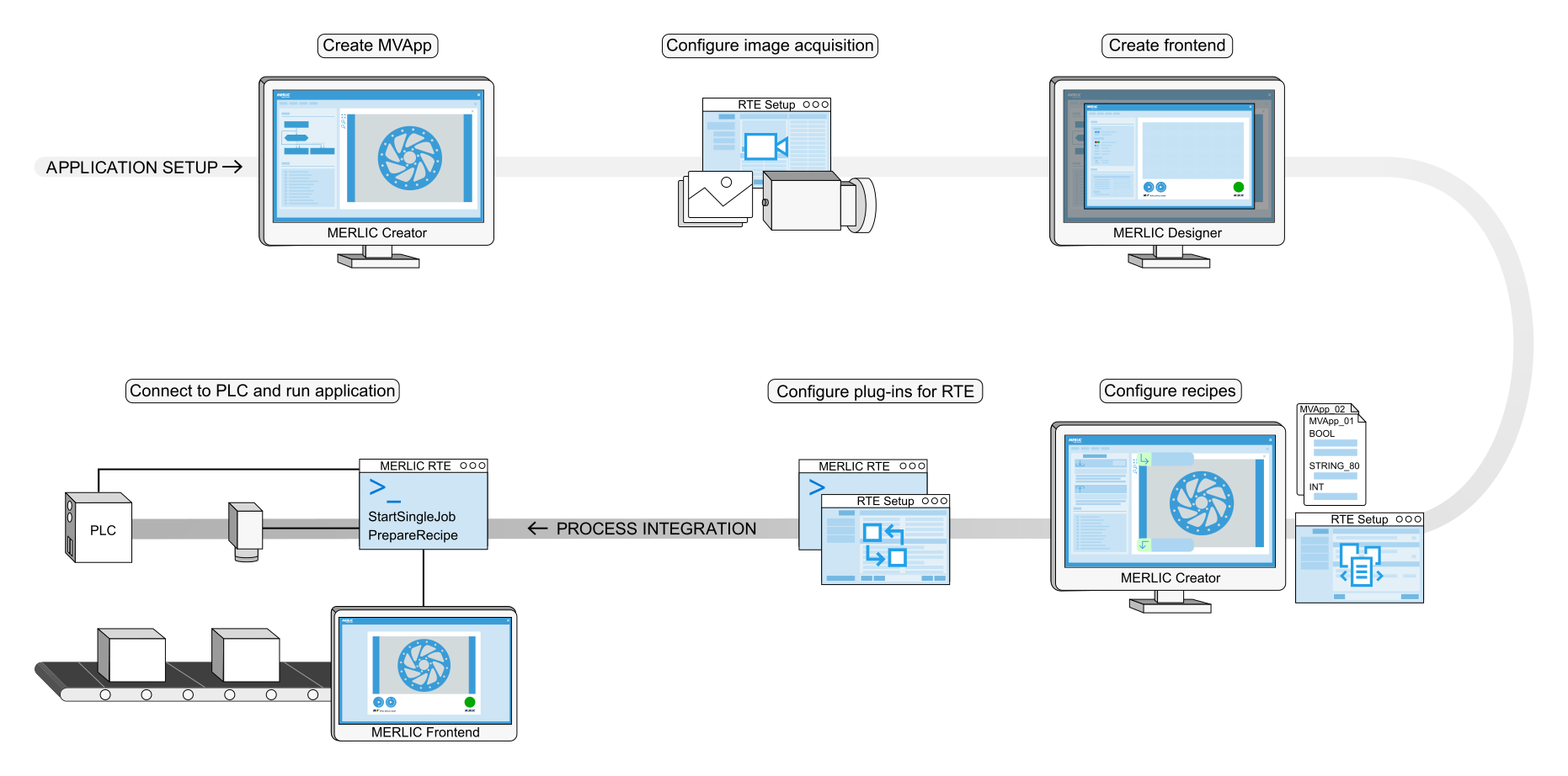
Get More Information
The following topics provide the necessary information about the MERLIC components:

The Image Source Manager (ISM) can be used for the setup of image sources. An image source can be either an image file or a camera device. The Image Source Manager allows you to configure different image sources and save them together in a so-called "configuration". When creating the MVApp you can then access the preconfigured image sources to use the corresponding images for the application.
The Image Source Manager configuration can be found in the MERLIC RTE Setup.
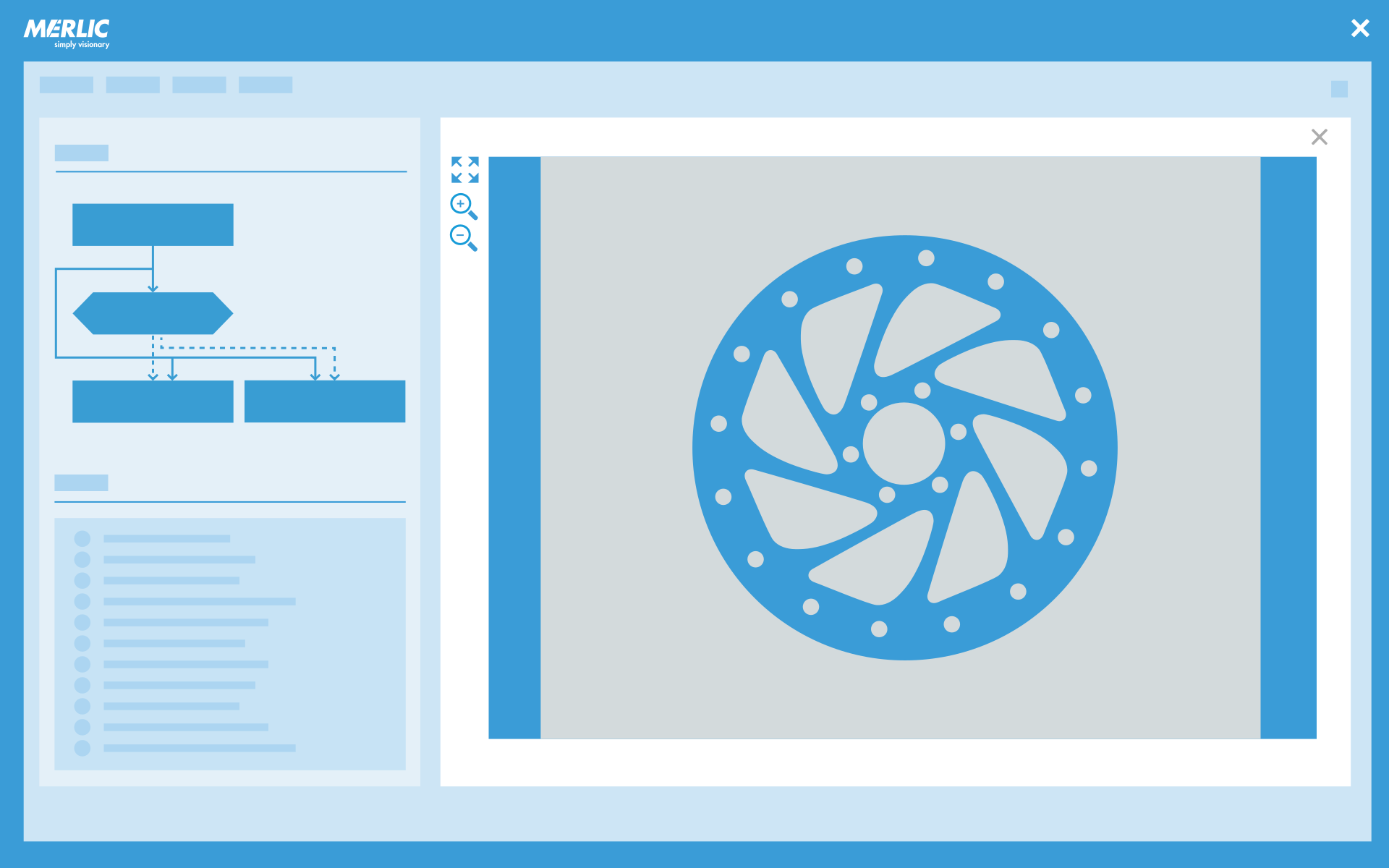
The MERLIC Creator is the graphical development environment for building your MVApp. It provides so-called MERLIC tools, which are the building blocks of an MVApp. They solve specific image processing tasks, e.g., selecting an image source or reading different types of codes (barcode, QR code, etc.). The MERLIC tools are arranged in a Tool Library The Tool Library is part of the graphical user interface of the MERLIC Creator. It displays the library of provided MERLIC tools divided in different categories. Thus, it contains all tools that are available in MERLIC. You may add a tool from the tool library to the workspace by drag-and-drop or double-clicking.. Using these MERLIC tools, you can create an MVApp by adding the required tools to the vision application step by step and customizing the configuration of the tools to solve your desired image processing tasks.
The MERLIC Creator also shows an overview of all MERLIC tools in the current MVApp, the so-called Tool Flow The tool flow of a MERLIC Vision App (MVApp) represents the sequence of tools and tool connections that have been configured for the MVApp. It defines the individual image processing steps that are performed when the MVApp is executed and visualizes dependencies between tools. The tool flow of the current MVApp is displayed in the Tool Flow panel of the MERLIC Creator., as well as an overview of the available image sources. It also provides options for configuring the MVApp for process integration, e.g., creating recipes or creating MVApp results and parameters.
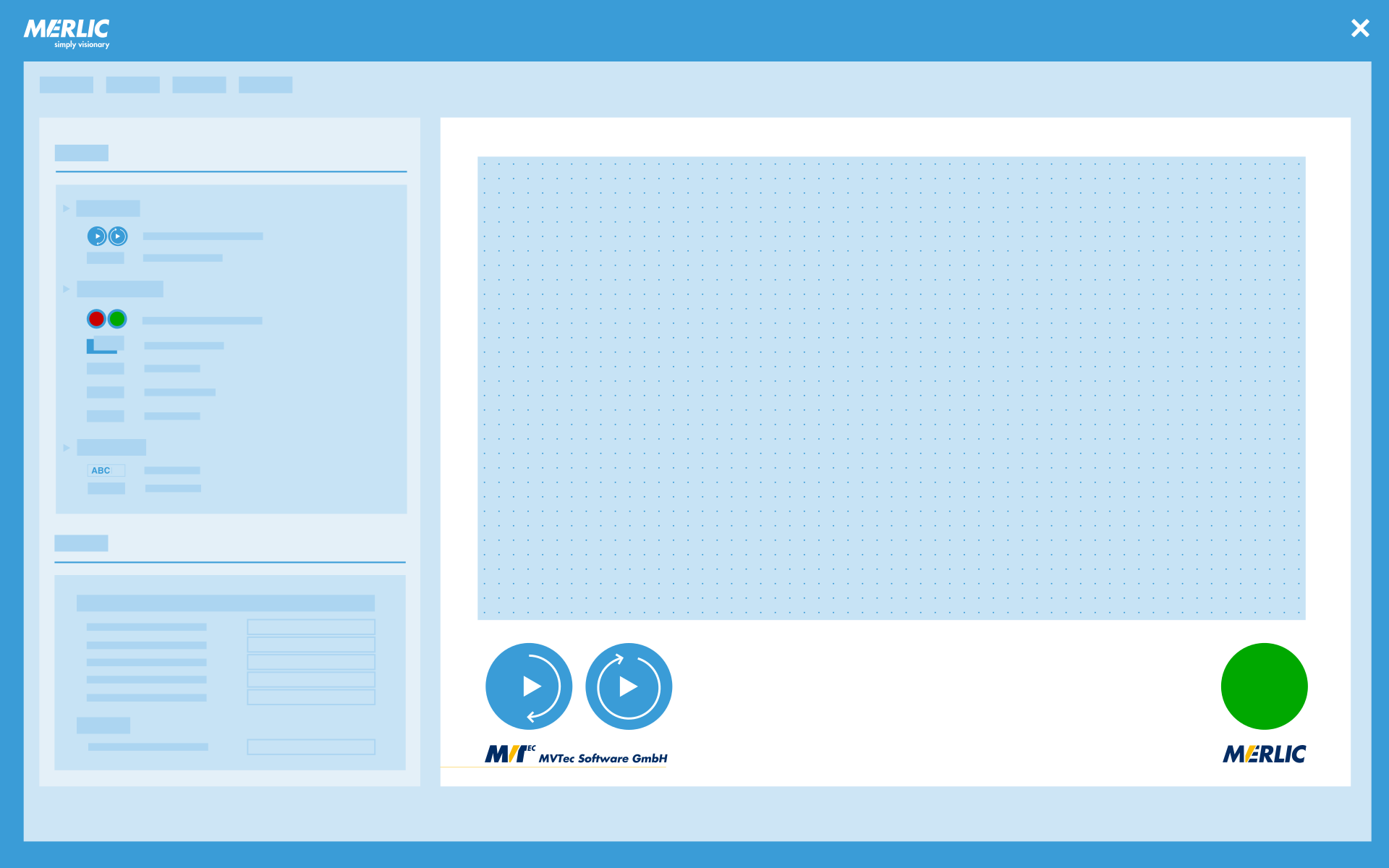
The MERLIC Designer is the graphical development environment for designing the user interface for your MVApp to be displayed in the MERLIC Frontend. It provides a set of widgets that are the building blocks of your Frontend, e.g., to visualize data or to enable interactions with your MVApp. The widgets are arranged in a Widget Library. Using the widgets, you can create a user interface by adding the desired widgets to your Frontend design and customizing the look and the functionality of the user interface of your MVApp.
The MERLIC Designer also allows the set up of an user management system to control the access permissions of an MVApp in the MERLIC Frontend. It also provides the possibility to add additional translations to the Frontend design. This allows your operators to use the Frontend in any language.
The MERLIC Designer can only be accessed via the MERLIC Creator.
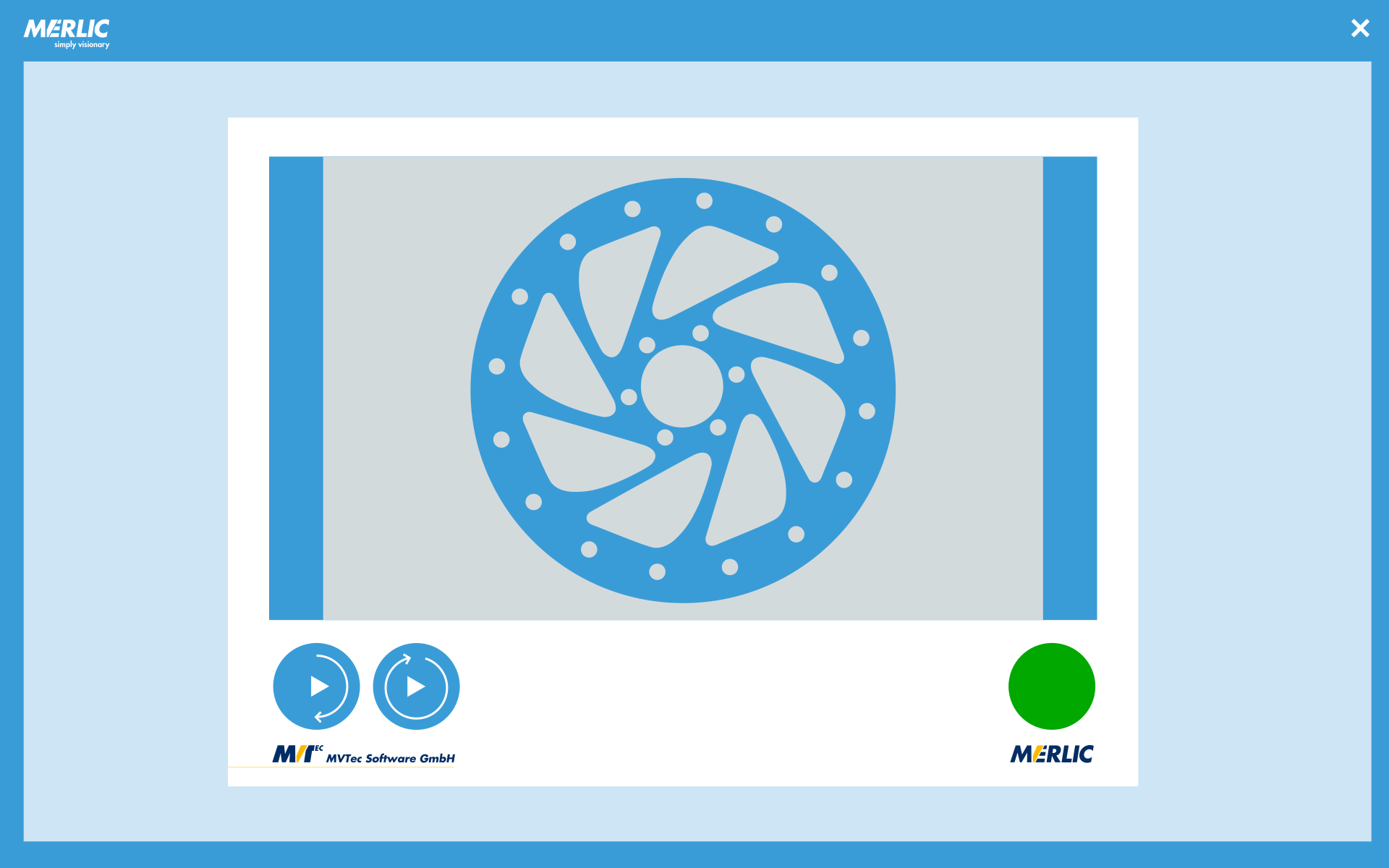
The MERLIC Frontend is the user interface for your MVApp. It adopts the graphical elements that were previously combined and configured in the MERLIC Designer. Depending on your MVApp and your Frontend configuration, your MERLIC Frontend can allow users to control the execution of your MVApp remotely, to check the results of your application or to configure predefined parameters.
The MERLIC Frontend is an individual application and can be started independently from MERLIC.
The MERLIC Runtime Environment (or MERLIC RTE for short) represents the process integration mode of MERLIC. It enables the communication with a machine controller, for example, a programmable logic controller (PLC) via signals and commands. MERLIC RTE is necessary whenever MERLIC or an MVApp is to be controlled via a manufacturing machine. In process integration mode, the corresponding communication device is given control, for example, to execute an MVApp.
For MERLIC RTE to work properly, it is important that a configured communication device (plug-in) is available and that the MVApp in question is configured specifically for process integration. Recipes also need to be provided. The configuration of the communication devices and recipes can be done in the MERLIC RTE Setup.
MERLIC RTE is an individual application and can be started independently from MERLIC.
MERLIC Runtime Environment Setup
The MERLIC Runtime Environment Setup (MERLIC RTE Setup) is the development environment for configuring various components for MERLIC RTE as well as your image sources. There is a specific tab for each component:
- Image Sources: Configuration of camera devices and image files.
- Communication: Configuration of the provided communication plug-ins and custom communication plug-ins developed by yourself.
- Recipes: Import and configuration of MERLIC recipe files.
- I/O: Configuration of I/O plug-ins for Hilscher PCI cards, digital I/O devices, and camera devices with digital I/O channels.
Both the "I/O" and the "Communication" tab offer the possibility to configure plug-ins that enable the communication between MERLIC and a machine, for example, a PLC. However, there are different requirements and restrictions for the configuration and the available commands. For more information, see Communication Plug-ins vs. I/O Plug-ins.
The MERLIC RTE Setup is an individual application and can be started independently from MERLIC.

Communication Plug-in Development
MERLIC provides a software development kit (SDK) that enables you to implement your own communication plug-ins for the use with MERLIC RTE.
It provides an application programming interface (API) and libraries with various functions for the implementation and custom creation of plug-ins. Plug-ins use actions as commands to MERLIC. Events notify the plug-ins of state changes. MERLIC provides some communication plug-ins that are ready-to-use and also some example plug-ins which can be used as basis for the development of your own communication plug-in because they are provided with their source code.
For more information, see the Communication Plug-in Development Manual. It contains information how to develop your own plug-in and all the features of the API that you can use for plug-in development.

MERLIC enables you to use custom tools to extend the provided standard tool set of MERLIC. This allows you to add functionality to MERLIC that is customized to perform an image processing task. A custom tool for MERLIC is developed in MVTec HALCON, i.e., in HDevelop. It is based on HALCON procedures and also represented by a procedure. This means, you have to create an HDevelop procedure library based on an HDevelop program which implements the respective image processing task. This procedure library can then be integrated in MERLIC as a custom MERLIC tool.


