DEEP LEARNING TASKS
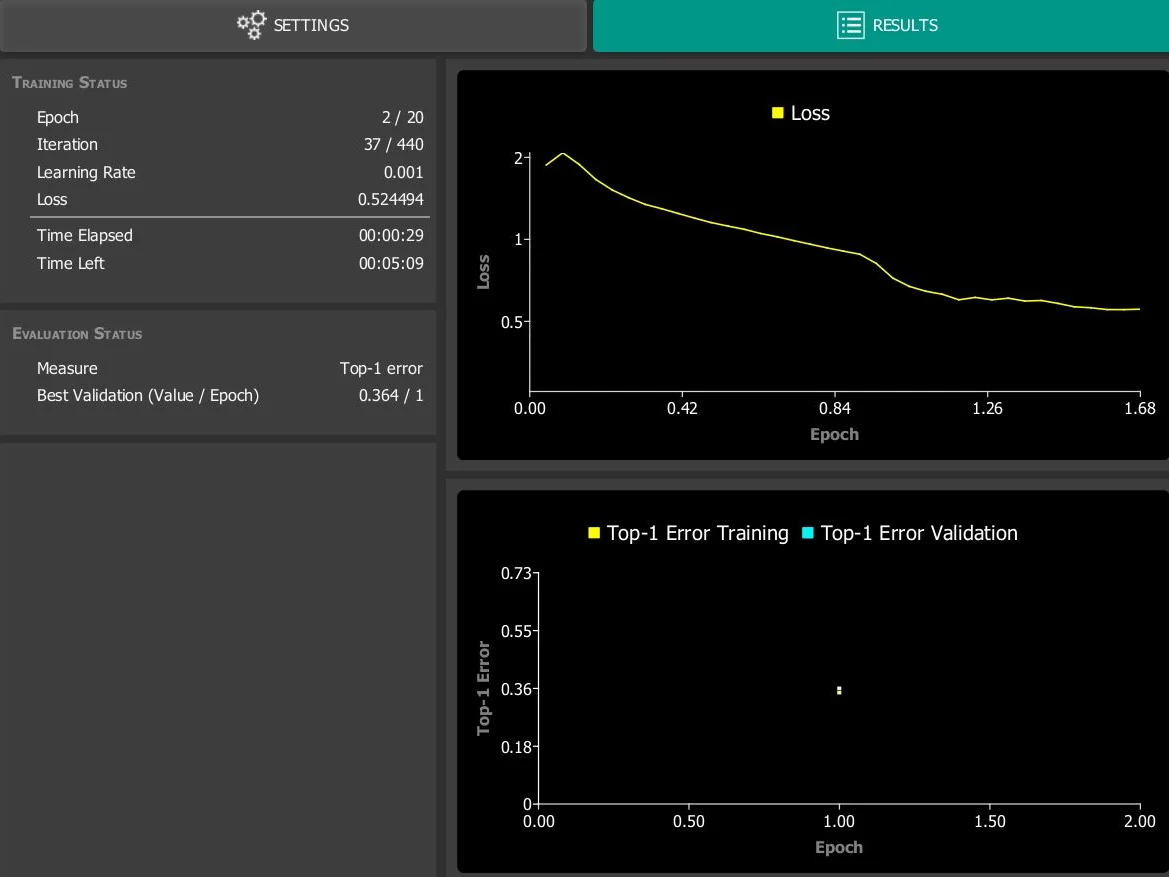
During training, a pre-trained classifier is trained on the previously labeled image dataset. With each iteration over the training dataset, the model attempts to improve its predictions on the validation dataset. Based on the results, the weights within the neural network are adjusted to improve performance in the next iteration.
In the Deep Learning Tool, users can configure all relevant training parameters. After selecting a data split, training can be started, and progress and performance are visualized.
DEEP LEARNING TASKS
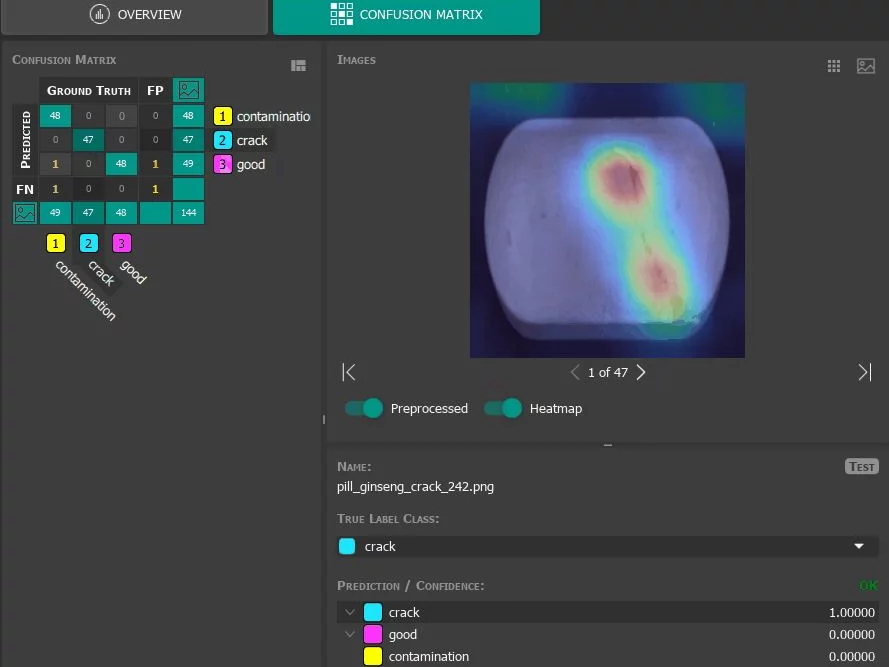
During evaluation, the model is assessed using the test dataset. This step provides an indication for the image processing specialist of how well the model is expected to perform in practice.
Users can evaluate and compare their trained networks directly within the tool. The Evaluation section provides information about model accuracy, including a heatmap for the predicted classes of all processed images, as well as an interactive confusion matrix that helps identify misclassifications. Users can also calculate the estimated inference time per image and export the evaluation results as a standalone HTML page for documentation purposes.
DEEP LEARNING TASKS
The MVTec Deep Learning Tool supports the structured organization of image data and projects throughout the entire deep learning workflow.
Consistent use of datasets within a project for training and evaluation
Trained models can be exported and used within the MVTec product ecosystem:
Export for MVTec MERLIC for use in no-code machine vision applications.