From data acquisition to inference

Getting Started With Deep Learning

With MVTec HALCON, you have a fully integrated toolbox for the entire deep learning process. From image acquisition through data preparation and training to evaluation and inference, all steps can be carried out directly in HALCON. Thanks to HALCON’s user-friendly development environment HDevelop, you can avoid the time-consuming integration of external tools.

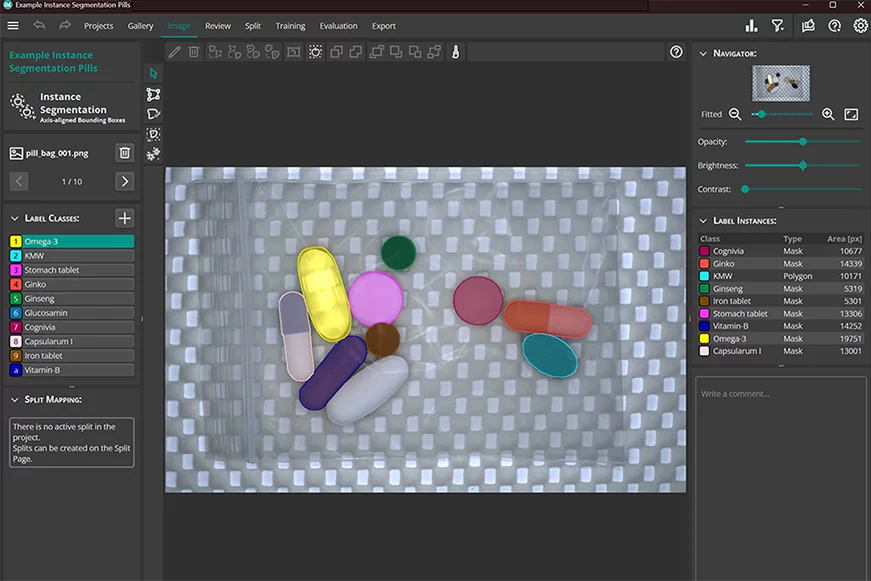
In addition, the MVTec Deep Learning Tool provides a convenient solution for labeling training data for deep learning-based applications such as object detection, classification, and semantic segmentation. The resulting datasets can be seamlessly integrated into HALCON and further processed there.
Four Steps

Deep Learning Workflow

1. Preparation

Capture, label, and review data

  • Capture image data under conditions that match the target application as closely as possible.
  • Label all objects in the dataset consistently and review annotation quality.
  • With the free MVTec Deep Learning Tool, you can prepare, review, and correct your dataset efficiently. The tool is available free of charge in the download area.
Tip: Use enough images per class to build a robust model.

2. Training

Create your own deep learning model

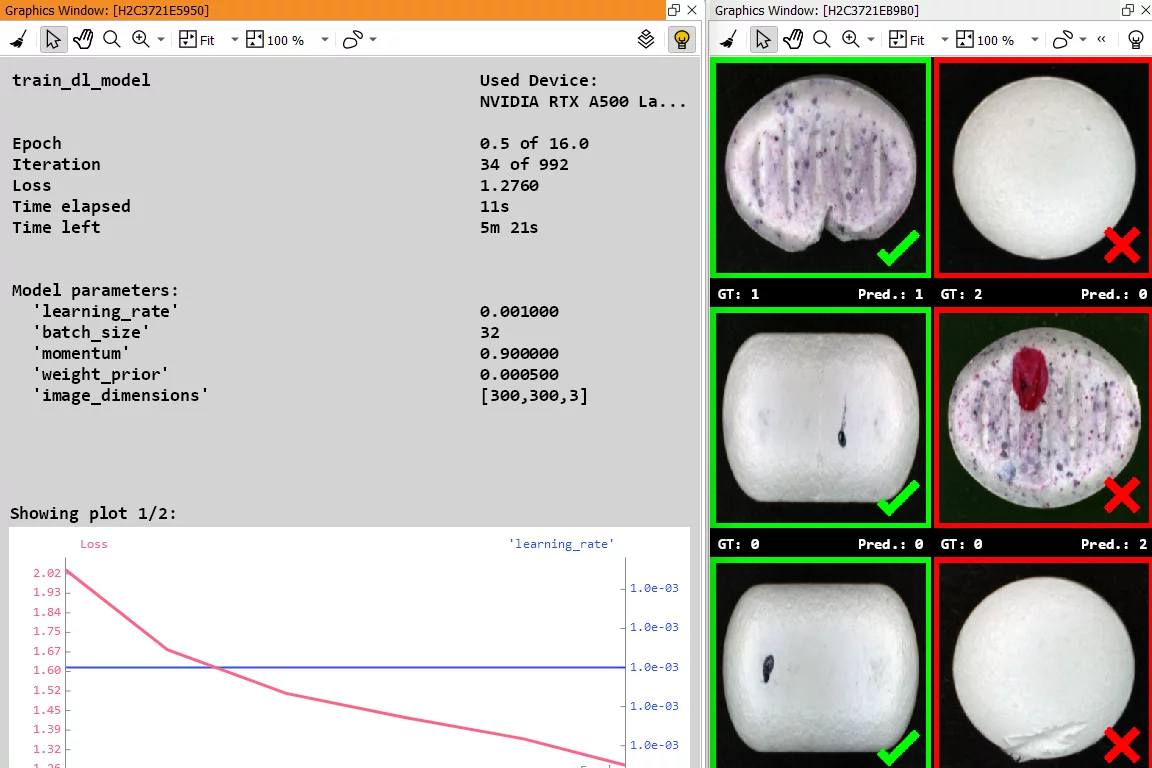
After exporting the data from the Deep Learning Tool to HDevelop, HALCON analyzes the images and automatically learns which features are relevant for recognizing the respective classes. In contrast to classical methods, manual feature extraction by the user is not required.

You can train your own classifiers based on the pre-trained CNNs (Convolutional Neural Networks) included in HALCON. These networks are optimized for industrial use cases and are trained on hundreds of thousands of example images.

In addition, HALCON supports third-party networks in ONNX format (Open Neural Network Exchange), making it easy to integrate existing models from other frameworks.

3. Evaluation

Validate and optimize the trained model

Check whether your model’s performance is sufficient for the application. HALCON provides several visualization options for this:

  • Confusion matrix: Shows the share of correct and incorrect classifications.
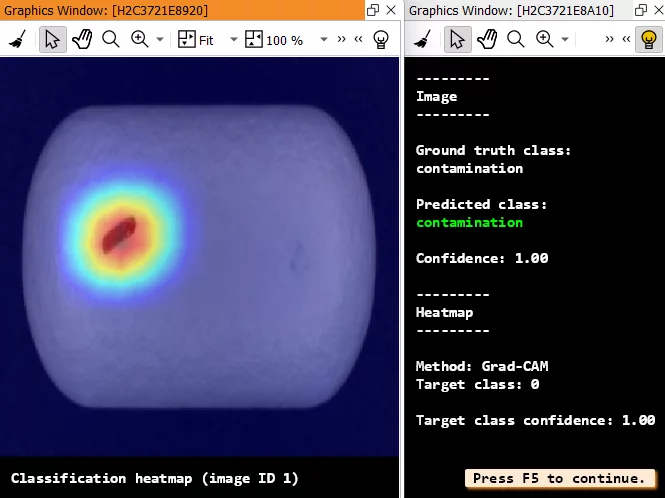
  • Heatmap: Visualizes which image regions were most relevant for the network’s decision.

This allows you to assess model quality and optimize training parameters in a targeted way.

4. Inference

Apply the trained model to new images

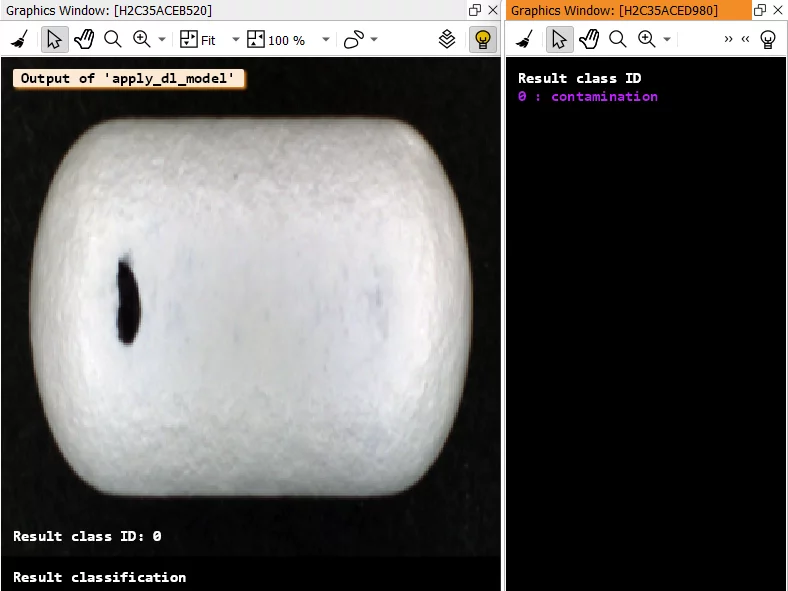
After successful training and evaluation, the model (CNN classifier) can be applied to new images – this step is called inference. The network automatically detects, for example, whether a part is scratched, contaminated, or defect-free.

Inference can run on GPUs as well as on CPUs (x86- and Arm®-based).

Via the AI² interface (AI Accelerator Interface), specialized hardware accelerators are also supported to maximize execution speed. 

Learn more here

HELPFUL SERVICES FOR YOUR DEEP LEARNING APPLICATION

Guidance For Your Start

Example Programs
DescriptionDownload
HDevelop script for labeling your data for edge extractionZipFile (8 MB)
HDevelop script for creating a dataset dictionary for object detectionZip-File (3.4 MB)
Minimal version of the object detection exampleZip-File (3 KB)
Minimal version of the semantic segmentation exampleZip-File (3 KB)
System Requirements
  • 64-bit operating system: Windows or Linux
  • Training deep learning networks is recommended on NVIDIA GPUs or Intel® CPUs
  • More information in the HALCON Installation Guide
DEEP LEARNING
Tutorials & Videos

Learn how to build your first deep learning applications with our video tutorials and example programs in HDevelop. 

DIGITAL & ON SITE
Training & Learning

We and our worldwide partners offer a broad range of practical trainings for our products and technologies – digital and onsite. 

Moreover, you have the option to train yourself in our digital learning platform MVTec Academy, where you can attend introductory and advanced courses.

MVTec Software